Bluehost vs Pressable (2026): Which Hosting Is Better for Beginners?
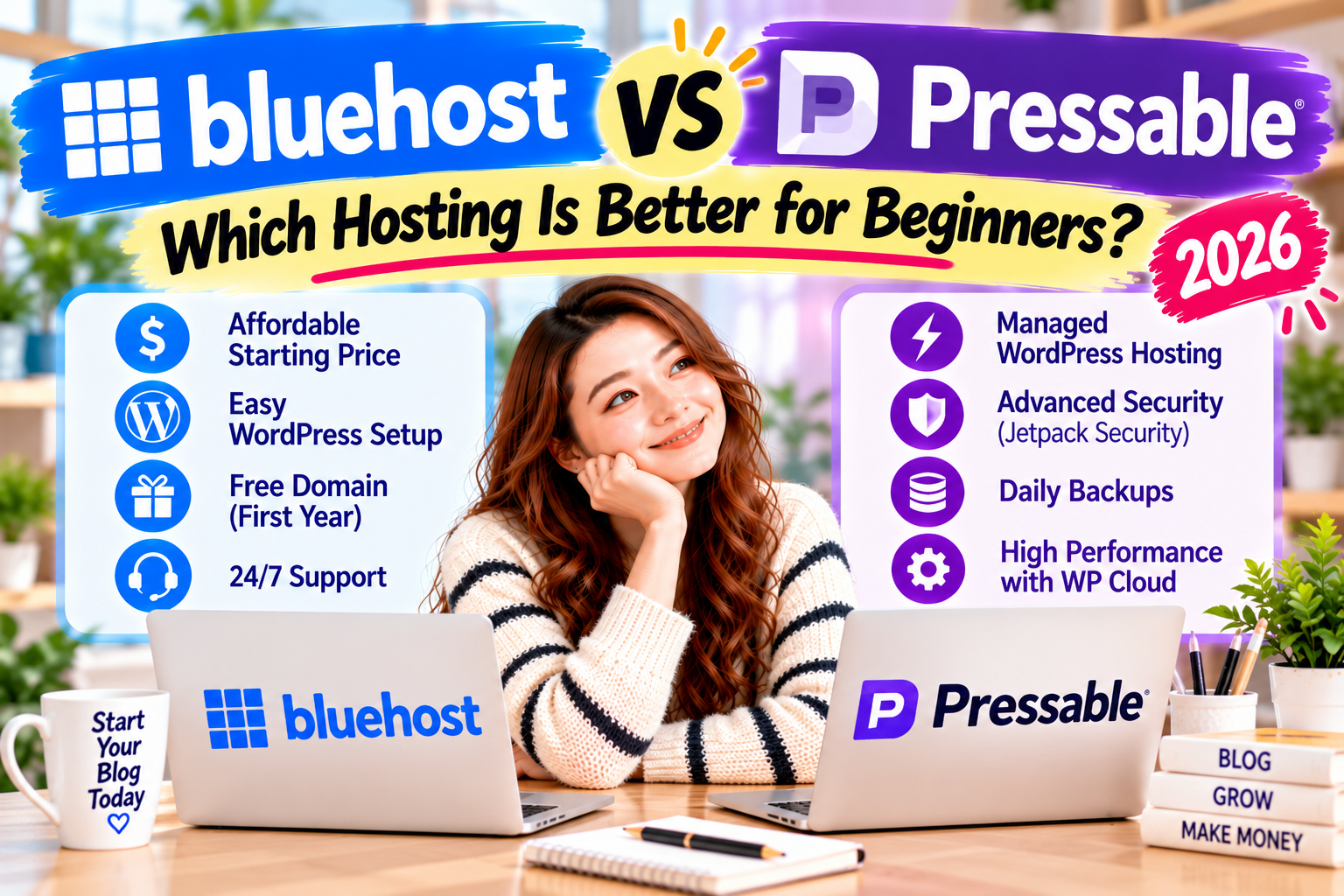
Bluehost and Pressable both offer WordPress hosting, but they serve different users.
Bluehost focuses on making it easier and more affordable to start a first website or blog.
Pressable takes a more specialised approach with managed WordPress hosting designed around performance, security, backups, site management, and professional WordPress tools.
👉 My recommendation:
If you’re starting your very first WordPress blog, I recommend Bluehost because it gives beginners an easier and more affordable path to getting a website online.
If you already have a growing WordPress website—or you want a more managed hosting environment from the beginning—Pressable deserves serious consideration.
Neither host is automatically better for everyone.
The better choice depends on your website’s stage.
Bluehost vs Pressable: Quick Comparison
| Feature | Bluehost | Pressable |
|---|---|---|
| Best For | Beginners & First Blogs | Managed WordPress & Growing Sites |
| Pricing Style | Lower-cost beginner hosting | Premium managed WordPress |
| Free Domain | ✅ First year on eligible plans | ❌ No |
| Free SSL | ✅ Yes | ✅ Yes |
| WordPress Staging | ✅ Yes | ✅ Yes |
| CDN | ✅ Yes | ✅ Yes |
| Backups | Weekly on Starter | Hourly & Daily |
| Security | SSL, WAF, DDoS protection & scanning | Jetpack Security, WAF & threat monitoring |
| Site Migration | Migration tool | Managed migrations |
| WordPress Support | 24/7 Chat | 24/7 WordPress Hosting Support |
| Best Beginner Value | ⭐⭐⭐⭐⭐ | ⭐⭐⭐ |
| Managed WordPress Tools | ⭐⭐⭐⭐ | ⭐⭐⭐⭐⭐ |
🏆 Best for First-Time Bloggers: Bluehost
🏆 Best for Managed WordPress: Pressable
Pressable’s entry plan currently supports one WordPress install, up to 30,000 monthly visits and 20GB storage, while its managed platform includes staging, backups, security and migration features.
💡Prices and plan features can change. Check each provider’s website for the latest details.
What Is Bluehost?
Bluehost is a WordPress hosting provider that puts a strong emphasis on making website creation accessible to beginners.
Its Starter WordPress plan is specifically designed for a first website or blog.
It includes useful features such as a free domain for the first year, free SSL, CDN, managed WordPress updates, a site migration tool, WordPress staging, security tools, and 24/7 chat support.
The biggest advantage for beginners is that you don’t have to pay for a premium managed WordPress environment before you know whether you need one.
You can start your blog, learn WordPress, create content, and upgrade later as your website grows.
🌱 Starting your first blog?
You don’t need to understand everything about hosting before you begin.
What Is Pressable?
Pressable is a managed WordPress hosting provider.
Instead of concentrating primarily on low-cost beginner hosting, Pressable provides a managed environment with tools designed to make running WordPress websites easier.
Its platform includes features such as:
- WP Cloud hosting infrastructure
- Edge caching
- WordPress staging
- Sandbox sites
- Hourly and daily backups
- Jetpack Security
- Web Application Firewall
- Malware scanning and threat monitoring
- Free site migrations
- 24/7 WordPress hosting support
Its Signature 1 plan currently includes one WordPress install, one staging site, one sandbox site, up to 30,000 monthly visits, and 20GB of storage.
This makes Pressable particularly interesting for website owners who want their host to handle more of WordPress’s technical side.
It can also be attractive to freelancers, agencies, and users managing established WordPress websites.
My First Impression
The biggest difference between Bluehost and Pressable becomes clear very quickly.
Bluehost asks: How can we make starting a WordPress website easier and more affordable?
Pressable asks: How can we make managing WordPress websites more powerful and hands-off?
When I started blogging, I didn’t need advanced managed WordPress infrastructure.
I needed somewhere I could learn WordPress, publish my first articles, ask for help when I got stuck, and gradually build confidence.
That is why Bluehost made sense for me as a beginner.
Pressable becomes more interesting when your priorities change.
Once performance, backups, security, migrations, staging environments, or managing multiple WordPress websites matter more, a managed platform can offer much more value.
So Pressable isn’t a worse choice simply because Bluehost wins the beginner category.
They’re designed to solve different hosting problems.
Pricing & Value
Bluehost and Pressable target different types of WordPress users, and the difference becomes clear when you compare pricing.
Bluehost focuses on giving beginners an affordable way to start a first website or blog.
Pressable charges more because it provides a managed WordPress environment with additional performance, security, backup, and site management features.
Bluehost
For someone starting their first blog, Bluehost offers strong value because one beginner-friendly hosting package includes many essentials.
Depending on the plan, features can include:
- Free domain for the first year
- Free SSL
- CDN and caching
- Managed WordPress updates
- WordPress staging
- Website migration tools
- Security features
- 24/7 support
The biggest advantage is that you can start without paying for premium managed WordPress hosting right away.
This leaves more room in your blogging budget for other expenses such as a domain, email tools, premium plugins, or content creation.
💰 How much does starting a blog really cost?
See the essential expenses before deciding how much you want to spend on hosting.
Pressable
Pressable is more expensive, but it also includes a more comprehensive managed WordPress environment.
Its hosting platform includes features such as:
- Managed WordPress hosting
- WP Cloud infrastructure
- Edge caching
- Jetpack Security
- Web Application Firewall
- Hourly and daily backups
- Staging environments
- Sandbox sites
- Free managed migrations
- 24/7 WordPress hosting support
This means you are not simply paying for somewhere to install WordPress.
You are paying for a platform designed to handle more of the technical work involved in running and protecting a WordPress website.
That can provide excellent value for a growing blog, business website, freelancer, or agency.
For someone creating a first blog with little or no traffic, however, many of those advanced features may not be necessary yet.
Pricing & Value Winner: Bluehost for Beginners
Bluehost wins for beginner value.
It gives new bloggers the essential tools they need without requiring a premium managed-hosting budget.
Pressable becomes more attractive when the additional management, security, backup, and performance features save you enough time or technical work to justify the higher cost.
Ease of Use
Bluehost
Both Bluehost and Pressable try to make WordPress easier, but they do it differently.
Bluehost is designed to make the beginning of the WordPress journey less intimidating.
You can start with the basics, build your website, publish content, and gradually learn more advanced WordPress features.
That mattered to me when I started blogging.
I didn’t want to understand every technical part of hosting before I could publish my first article.
I wanted to learn one step at a time.
Bluehost let me focus on building my website instead of trying to master an advanced hosting environment right away.
💻 Worried that starting a blog is too technical?
You don’t need to become a developer before creating your first website.
Pressable
Pressable takes a different approach to ease of use.
As a managed WordPress platform, it handles many technical hosting tasks for you.
Its dashboard and WordPress management tools help users manage websites, staging environments, backups, security, and other hosting functions from one platform.
This can make Pressable very convenient.
In fact, managed hosting can sometimes be easier than cheaper hosting because the provider handles more of the technical work.
The question for beginners is whether they need—and want to pay for—that level of management from the beginning.
Ease of Use Winner: It Depends
This category is close.
Bluehost has the advantage for someone learning how to create a first blog on a smaller budget.
Pressable can have the advantage for someone who wants more technical tasks managed automatically.
For beginners, Bluehost is the more practical starting point.
WordPress Setup
Both Bluehost and Pressable are built around WordPress, but their setup experiences reflect their different target audiences.
Bluehost
Bluehost lets you start WordPress without manually configuring a server or dealing with complicated hosting settings.
You can build your website and gradually explore features like staging, caching, security, and managed updates as you get more comfortable with WordPress.
This is useful for first-time bloggers because you don’t have to understand every feature before launching.
When I started, my priority was getting my website online and learning how WordPress worked.
Once that foundation was in place, everything else became easier to understand.
🚀 Want to start your first WordPress blog?
Follow my beginner-friendly guide from choosing hosting to publishing your website.
Pressable
Pressable offers a more managed WordPress workflow.
Its platform includes staging environments and sandbox sites, so you can test changes without immediately affecting your live website.
Free managed migrations are another important advantage.
If you already have a WordPress website somewhere else, Pressable can help move it to its platform.
That makes Pressable particularly appealing to someone switching hosts rather than creating a website for the first time.
WordPress Setup Winner: Bluehost for a First Blog
Bluehost wins for someone starting completely from scratch.
Its beginner-oriented approach makes sense when your main goal is to get your first WordPress blog online.
However, Pressable is particularly strong for migrations and managed WordPress workflows.
If you already have a website and want professional help moving and managing it, Pressable may be the better option.
Performance
Performance is where Pressable starts to show why managed WordPress hosting costs more.
Bluehost
Bluehost provides performance features that can support a new blog.
Depending on the WordPress plan, these can include:
- NVMe storage
- CDN
- Caching
- Global data centres
- Performance optimisation tools
- WordPress-specific hosting technology
For a new blog with relatively little traffic, this provides a solid foundation.
You don’t necessarily need premium hosting infrastructure until your website has enough traffic to benefit.
Pressable
Performance is a major part of Pressable’s managed WordPress offering.
Pressable runs on WP Cloud, the WordPress hosting infrastructure developed by Automattic.
Its platform also uses edge caching and a global CDN to help deliver website content efficiently to visitors.
Because the hosting environment is specifically optimised for WordPress, users don’t have to configure many of these performance features themselves.
This becomes increasingly valuable as a website grows and performance starts to affect user experience, conversions, or revenue.
Performance Winner: Pressable
Pressable wins the performance category.
Bluehost provides more than enough performance for many new blogs, especially when keeping costs low is important.
Pressable is built around managed WordPress infrastructure, with performance optimisation at its core.
For a first blog, that extra performance may not justify the additional cost.
For a growing website, it can become much more valuable.
Managed WordPress Tools
This category is important because it highlights one of the biggest differences between the two hosts.
Bluehost
Bluehost includes useful WordPress tools such as staging, managed updates, caching, migration features, and security tools.
For most beginners, this feature set is strong.
You can launch your website without needing a separate premium managed WordPress service.
Pressable
Managed WordPress is Pressable’s main focus.
Its platform combines several tools that become especially useful when you manage a growing or established website.
These include:
- Staging environments
- Sandbox sites
- Hourly and daily backups
- Managed migrations
- WordPress security tools
- Performance optimisation
- Centralised website management
- WordPress-focused support
For freelancers or agencies managing multiple WordPress websites, these tools can become even more valuable.
Managed WordPress Tools Winner: Pressable
Pressable wins this category.
Bluehost gives beginners a useful collection of WordPress tools.
Pressable goes further by building its entire service around managed WordPress.
That difference is important—but it doesn’t automatically make Pressable the better choice for a first-time blogger.
Bluehost vs Pressable: Part 2 Results
| Category | Winner | Why |
|---|---|---|
| Pricing & Beginner Value | 🏆 Bluehost | Lower-cost path to starting a first blog |
| Ease of Use | 🤝 Depends | Bluehost for beginners; Pressable for hands-off management |
| WordPress Setup for Beginners | 🏆 Bluehost | Easier fit for starting from scratch |
| Performance | 🏆 Pressable | Managed WordPress infrastructure and optimisation |
| Managed WordPress Tools | 🏆 Pressable | More advanced management, backup, staging, and workflow tools |
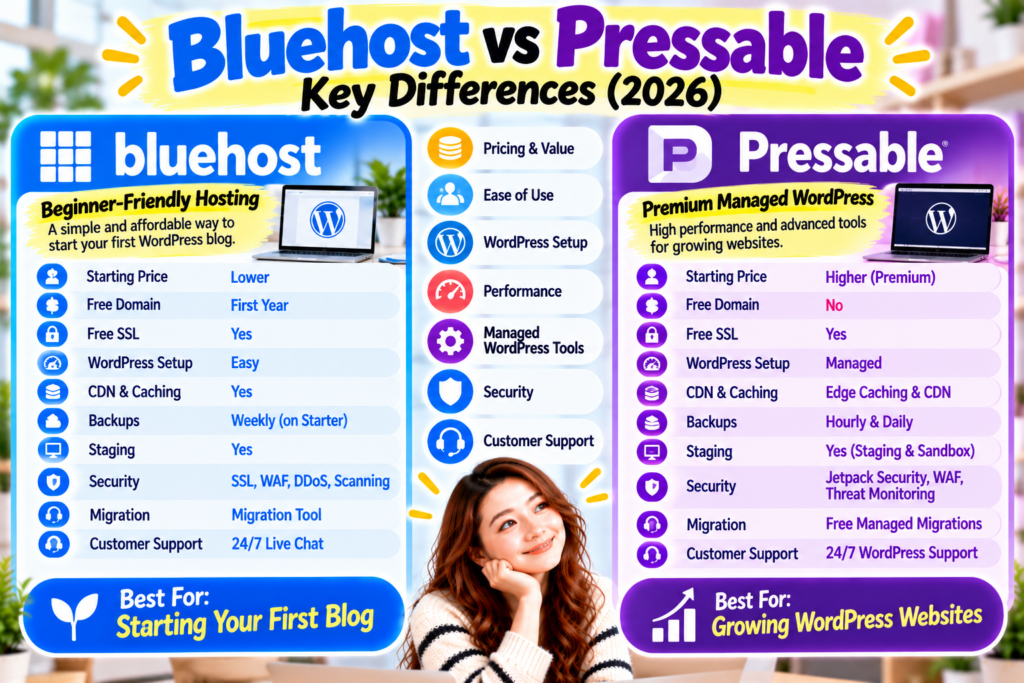
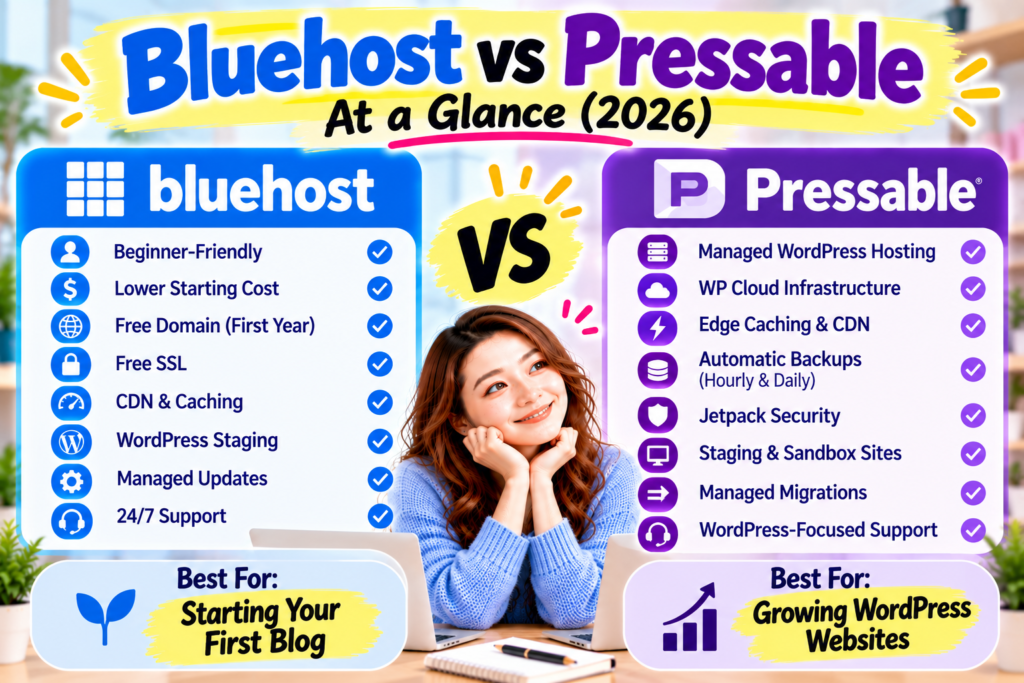
Figure 2. Bluehost provides an affordable, beginner-friendly path to launching your first WordPress blog, while Pressable focuses on managed WordPress performance, backups, security, migrations, and advanced website management.
Which Is Better So Far?
At this point, the Bluehost vs Pressable comparison has a clear pattern.
Bluehost makes more sense when your priority is starting your first WordPress blog simply and affordably.
Pressable becomes more attractive when your priority is managed WordPress performance, backups, security, migrations, and reducing technical work.
Pressable wins important technical categories.
That does not automatically make it the better host for a beginner.
A first-time blogger may get more value from spending less on hosting and concentrating on learning WordPress, publishing useful content, and building traffic.
As the website grows, managed WordPress hosting can become much more valuable.
The best hosting choice depends on what you need now—not simply which provider has the longest feature list.
Security
Website security is important from the moment you launch your first WordPress blog.
Even a small website needs protection against malware, unauthorised access, and other online threats.
Both Bluehost and Pressable offer security features, but their approaches differ.
Bluehost
Bluehost offers security tools designed to help WordPress users protect their websites without managing everything themselves.
Depending on your hosting plan, these may include:
- Free SSL certificates
- Malware scanning
- Web Application Firewall (WAF)
- DDoS protection
- Managed WordPress updates
- Website backups
- Additional security and monitoring tools
For beginners, these essential protections can make managing a website less intimidating.
However, not every security feature is included in every Bluehost plan. Check exactly what your selected package covers.
Pressable
Pressable makes managed WordPress security central to its hosting service.
Its security features include:
- Free SSL certificates
- Web Application Firewall
- Malware scanning and threat monitoring
- Jetpack Security features
- Managed WordPress updates
- Automated backups
- Hosting infrastructure designed specifically for WordPress
Pressable also provides backup and recovery tools that can be particularly valuable for established websites.
These features reduce the technical security work website owners need to manage.
For a growing blog or business website, that additional protection can provide peace of mind.
Security Winner: Pressable
Pressable wins the security category for its managed WordPress approach.
Bluehost provides useful security features for beginners, but Pressable offers a more comprehensive managed environment.
That doesn’t mean Bluehost is unsuitable for a new blog.
It means Pressable may be worth the higher cost when security management and recovery tools become major priorities.
Customer Support
Customer support can make a big difference when you’re learning WordPress.
A hosting provider might have impressive features, but those features become less useful if you cannot get help when something goes wrong.
Bluehost
One reason I recommend Bluehost to beginners is my own experience with its customer support.
When I first started blogging, I contacted Bluehost support several times as I learned how to use WordPress.
Whenever I ran into a problem, having someone available to help me find a solution made the process much less stressful.
I could continue learning and building my website instead of getting stuck on technical issues.
That experience helped me become more confident as a new blogger.
Bluehost offers 24/7 support, including live chat, though available channels may depend on your plan.
For beginners who want help getting started, this is a valuable advantage.
Pressable
Pressable focuses on WordPress-specific customer support.
Its managed hosting service includes 24/7 support from a team familiar with WordPress hosting and website management.
Pressable also offers managed migrations, which can be particularly helpful if you’re moving an existing WordPress website from another provider.
This makes Pressable attractive to website owners who want more specialised assistance.
Customer Support Winner: It Depends
Bluehost is a strong choice for beginners who want accessible support while learning WordPress.
Pressable is particularly attractive to website owners who want specialized WordPress hosting support and managed assistance.
My positive experience with Bluehost support is one reason I keep recommending it to first-time bloggers.
However, Pressable’s WordPress-focused support is a genuine advantage for users who need more specialised help.
Bluehost Pros & Cons
Bluehost Pros
- Beginner-friendly WordPress hosting
- Lower introductory pricing
- Free domain for the first year on eligible plans
- Free SSL
- CDN and caching features
- WordPress staging
- Managed WordPress updates
- Security tools
- 24/7 customer support
- Suitable for first-time bloggers
- Options to upgrade as your website grows
Bluehost Cons
- Renewal prices are higher than introductory offers
- Some features depend on the hosting plan
- Entry-level backup options may be more limited
- Advanced managed WordPress features may require a higher-tier plan
- Users with demanding hosting requirements may eventually want a more specialised platform
Pressable Pros & Cons
Pressable Pros
- Managed WordPress hosting
- WP Cloud infrastructure
- Performance-focused WordPress environment
- Edge caching and CDN
- Automated backups
- WordPress staging
- Sandbox environments
- Jetpack Security features
- Managed website migrations
- 24/7 WordPress-focused support
- Useful tools for established websites and agencies
Pressable Cons
- Higher starting price than beginner-focused Bluehost plans
- No free domain included
- Premium managed features may be unnecessary for a first blog
- WordPress-focused rather than general-purpose hosting
- Less attractive for bloggers with very limited startup budgets
Who Should Choose Bluehost?
Bluehost is a good fit if you:
- Are starting your first WordPress blog
- Have little or no technical experience
- Want to keep startup costs low
- Prefer a beginner-friendly hosting experience
- Want to learn WordPress gradually
- Need essential hosting features without paying for premium managed hosting
- Want access to customer support while learning
- Plan to grow your blog over time
For someone starting from zero, Bluehost provides a practical balance of affordability, features, and ease of use.
You don’t need to pay for every advanced hosting feature before publishing your first article.
For most first-time bloggers, I prefer Bluehost as a starting point.
Who Should Choose Pressable?
Pressable is worth considering if you:
- Already have an established WordPress website
- Are managing a growing blog or business website
- Want managed WordPress hosting
- Value automated backups and recovery tools
- Need staging and sandbox environments
- Want WordPress-focused security features
- Prefer specialised WordPress support
- Are migrating an existing website
- Manage WordPress websites for clients
- Are comfortable paying more for managed hosting
Pressable can also make sense for someone who wants premium managed WordPress hosting from the beginning.
You don’t necessarily have to wait until your website grows to choose it.
However, the higher cost should fit your budget and hosting needs.
My Personal Recommendation
After comparing Bluehost and Pressable across pricing, ease of use, WordPress setup, performance, security, and customer support, my recommendation depends on where you are in your blogging journey.
If you’re starting your first WordPress blog, I recommend Bluehost.
I chose Bluehost when I started blogging because I wanted a straightforward way to build my website.
I was still learning how WordPress worked, and having support when I needed it made a real difference.
I didn’t need advanced hosting infrastructure at that stage.
I needed an affordable place to start, learn, and publish content.
Bluehost provided that foundation.
Pressable offers a different kind of value.
Its managed WordPress platform includes advanced hosting tools, automated backups, security monitoring, staging environments, and specialised support.
These features can be especially useful as a website grows or when managing WordPress takes time away from running a business.
My recommendation is simple:
Choose Bluehost if you want to start your first blog affordably and learn WordPress step by step.
Choose Pressable if you want a more comprehensive managed WordPress environment and are comfortable paying more for it.
You don’t need the most expensive hosting platform to build a successful blog.
You need a reliable starting point that fits your budget, experience, and goals.
Ready to Start Your First WordPress Blog?
If you’re ready to create your first website, Bluehost offers a beginner-friendly way to get started without paying for premium managed WordPress hosting.
Start with the essentials, build your confidence, and grow your blog one step at a time.
Frequently Asked Questions
Is Bluehost or Pressable better for beginners?
I recommend Bluehost for most first-time bloggers because it offers a more affordable starting point and beginner-friendly WordPress tools.
Pressable is also easy to use, but its managed WordPress features may be more than a new blogger needs.
Is Pressable good for WordPress hosting?
Yes. Pressable specialises in managed WordPress hosting.
Its platform includes WP Cloud infrastructure, security monitoring, automated backups, staging environments, a CDN, and WordPress-focused support.
It is particularly attractive for established websites, businesses, and agencies.
Is Pressable faster than Bluehost?
Pressable offers a performance-focused managed WordPress platform built on WP Cloud.
Bluehost also provides performance features such as caching, CDN technology, and modern hosting infrastructure.
Pressable has the stronger premium managed-hosting proposition, but actual website speed depends on your theme, plugins, images, traffic, and configuration.
Does Pressable include website backups?
Yes.
Pressable provides automated daily file backups and hourly database backups, along with recovery tools.
This can be especially valuable for websites that publish frequently or make regular changes.
Does Pressable include a free domain?
Pressable does not generally bundle a free domain with its managed WordPress hosting plans.
Bluehost offers a free domain for the first year on eligible hosting plans.
Can I move my WordPress website to Pressable?
Yes.
Pressable provides free WordPress migration assistance.
This makes it a useful option for website owners with an existing WordPress site who want to move to managed hosting.
Is Pressable worth the higher price?
Pressable can be worth the additional cost if you value managed WordPress performance, security, backups, specialised support, and advanced site management tools.
For someone starting a simple blog with a limited budget, Bluehost may provide better overall value.
Can I start with Bluehost and switch to Pressable later?
Yes.
You can start with Bluehost and later move your WordPress website to another hosting provider.
This gives you the flexibility to begin with a lower-cost hosting plan and consider premium managed hosting as your website grows.
Conclusion
Bluehost and Pressable are both capable WordPress hosting providers, but they serve different priorities.
Bluehost is the better fit for most first-time bloggers who want an affordable and approachable way to launch a WordPress website.
It provides essential hosting features, WordPress tools, and customer support without requiring a premium managed-hosting budget.
Pressable is particularly attractive for website owners who value managed WordPress performance, security, backups, staging, and specialised support.
Its WP Cloud infrastructure and managed tools can provide meaningful advantages for growing websites and businesses.
For my own blogging journey, starting with Bluehost made sense because I needed simplicity, support, and an opportunity to learn WordPress.
That experience is why I continue recommending Bluehost to beginners.
However, Pressable is worth considering if your website has more demanding requirements or you prefer a fully managed WordPress environment.
Final Verdict: Bluehost for First-Time Bloggers. Pressable for Premium Managed WordPress.
Choose the hosting provider that supports your current goals, and remember that you can always reconsider your hosting needs as your website grows.
Recommended Next Reads
Bluehost Review: Is It Good for Beginners?
Learn more about Bluehost’s features, pricing, and my experience using it.
Bluehost vs Hostinger
Compare two popular options for starting a WordPress blog.
How to Start a Blog
Follow a beginner-friendly guide to launching your first WordPress website.
How Much Does It Cost to Start a Blog?
Understand the key costs before choosing a hosting plan.