Hostinger vs SiteGround (2026): Which Is Better for Beginners?
If you are new to blogging, comparing hosting companies can feel overwhelming.
You may be wondering:
- Which hosting provider is easier for beginners?
- Is Hostinger cheaper than SiteGround?
- Which company offers better WordPress features?
- Will my website load quickly?
- Which provider offers better security and customer support?
These questions matter, especially if you are starting a blog as a side hustle and want to avoid unnecessary expenses.
Two popular hosting providers you may come across are Hostinger and SiteGround.
Both offer WordPress hosting, website management tools, security features, and customer support.
However, they take slightly different approaches.
Hostinger emphasizes affordable introductory hosting, guided website setup, and beginner-friendly management tools.
SiteGround focuses on WordPress hosting with built-in performance, security, backup, and website management features.
So, which one should you choose?
In this Hostinger vs SiteGround (2026) comparison, we will explore their pricing, ease of use, WordPress setup, performance features, security, and customer support.
By the end, you will have a clearer understanding of which hosting provider may be the better fit for your first WordPress blog.
Hostinger vs SiteGround: Quick Comparison
Before we get into the details, here is a quick overview of the main differences between Hostinger and SiteGround.
| Feature | Hostinger | SiteGround |
|---|---|---|
| Best For | Budget-conscious beginners | WordPress users who value built-in management tools |
| Starting Price | Discounted introductory plans | Discounted introductory plans |
| Ease of Use | Beginner-friendly hPanel | Custom Site Tools dashboard |
| WordPress Installation | Guided WordPress setup | WordPress installation and setup tools |
| Free Domain | Available with eligible plans | Available with eligible offers |
| Free SSL | Yes | Yes |
| Website Backups | Frequency depends on plan | Daily backups included with WordPress hosting |
| Performance Features | LiteSpeed caching and optimisation tools | SuperCacher, CDN, and optimisation tools |
| Security | SSL and hosting security features | SSL, security monitoring, and WordPress security tools |
| Staging | Available on eligible plans | Available on eligible plans |
| Customer Support | 24/7 online support | 24/7 support |
| Ideal User | First-time bloggers seeking affordable hosting | Bloggers seeking comprehensive WordPress tools |
Both providers offer useful features for WordPress beginners.
However, the best choice depends on what matters most to you.
If your main priority is getting started with an affordable hosting plan and a guided setup proce, Hostinger deserves consideration.
If you want a WordPress hosting environment with daily backups, caching, security tools, and a dedicated website management dashboard, SiteGround may be particularly appealing.
Important: Hosting prices, promotional offers, and included features can change. Always review the current plan details and renewal rates before purchasing.
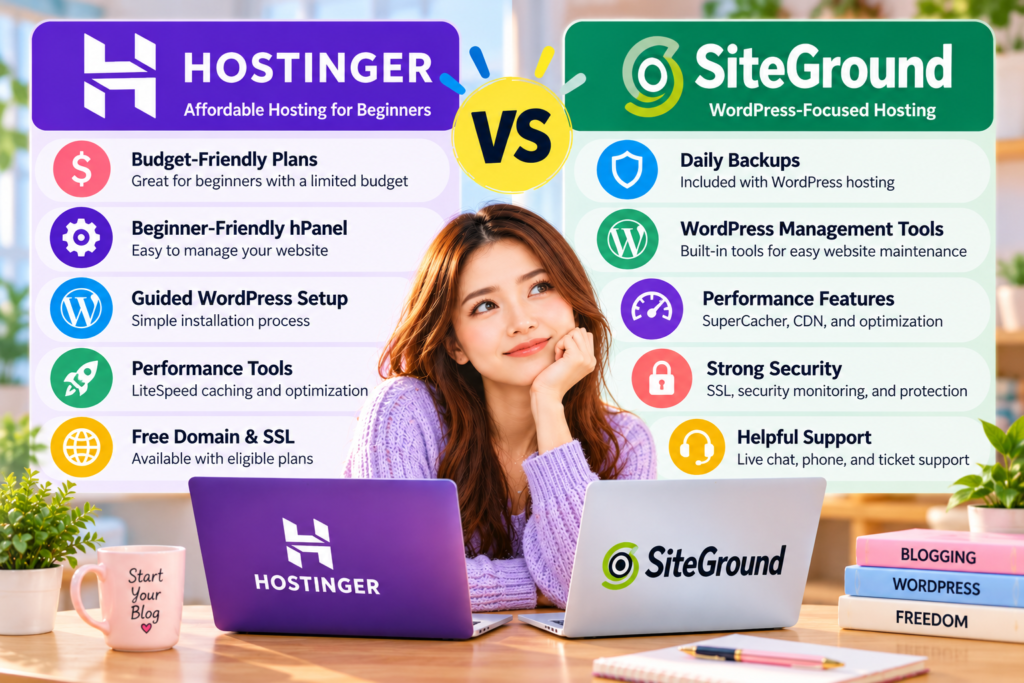
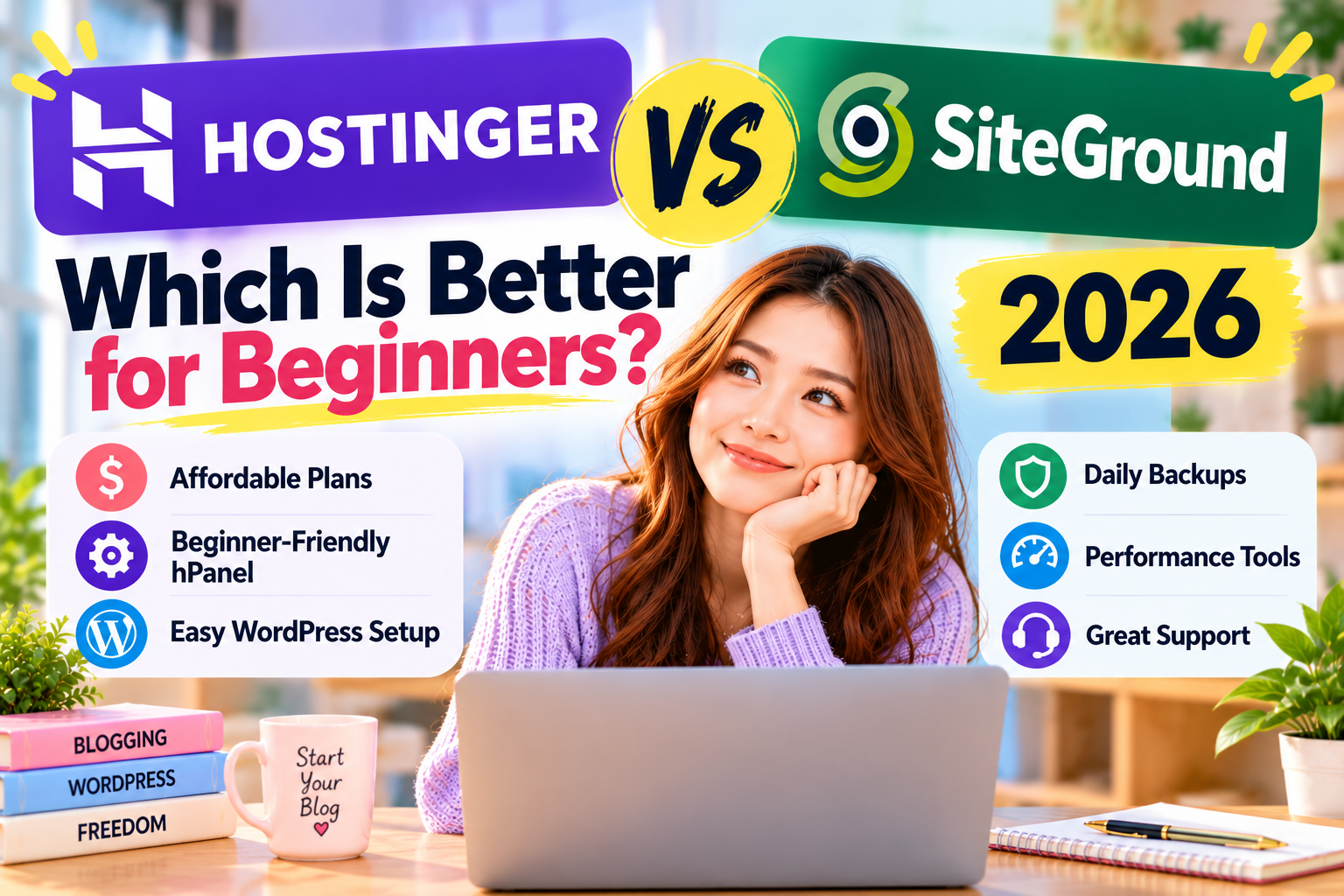
Figure 1. Hostinger emphasises affordable introductory hosting and beginner-friendly WordPress setup, while SiteGround offers WordPress-focused management tools, daily backups, caching, and security features. Both providers offer beginner options, but the best choice depends on your budget and website needs.
What Is Hostinger?
Hostinger is a web hosting company offering services for individuals, bloggers, small businesses, and website owners.
It provides several hosting options, including WordPress hosting and cloud hosting.
One of Hostinger’s main attractions is its combination of promotional pricing and beginner-focused website management tools.
For someone starting a WordPress blog, this can make the initial setup process feel less complicated.
Hostinger’s Main Features
Depending on the hosting plan, Hostinger offers features such as:
- Guided WordPress installation
- A custom hosting dashboard called hPanel
- Free SSL certificates
- Free domain registration with eligible plans
- Automatic website backups
- WordPress caching and optimisation tools
- Website migration assistance
- AI-assisted website features
- Customer support
- WordPress management tools
Hostinger’s dashboard includes tools to manage WordPress settings, updates, caching, and backups. Some advanced tools, such as staging, are available only on eligible plans.
These features can help beginners manage their websites without needing extensive technical knowledge.
Hostinger’s hPanel Dashboard
One feature that distinguishes Hostinger is its custom control panel, hPanel.
Instead of relying on a traditional cPanel interface, Hostinger provides its own dashboard for managing hosting services.
Through hPanel, users can access common website management features.
These include domain settings, WordPress tools, hosting configurations, and other account services.
For beginners, having essential tools in one place can make website management easier to understand.
However, the experience may still involve a learning curve if you have never managed a website before.
Why Beginners May Like Hostinger
Hostinger may appeal to beginners for several reasons.
1. Affordable Introductory Hosting
Hostinger frequently offers promotional rates that can reduce the initial cost of starting a website.
This may be attractive if you want to experiment with blogging before making a larger investment.
However, introductory and renewal prices can differ significantly.
2. Guided WordPress Setup
Hostinger provides tools designed to simplify WordPress installation.
This helps users start a blog without manually configuring every technical setting.
3. Beginner-Friendly Management
The hPanel dashboard provides access to common hosting tools.
This makes it easier to manage your WordPress website as you get more familiar with hosting.
4. Room to Grow
Hostinger offers different hosting plans so that website owners can add resources as their needs change.
However, upgrading may increase your hosting expenses.
What Should Beginners Watch Out For?
Although Hostinger offers useful beginner-focused features, keep a few things in mind.
The lowest advertised price may require a longer billing commitment.
Renewal rates may also be substantially higher than the initial promotional rate.
Backup frequency, staging, storage, and other features also vary between plans.
Before purchasing, compare the total subscription cost and confirm that your chosen plan includes the features you need.
Hostinger may be a practical choice if you want an affordable starting point and a guided WordPress setup experience.
What Is SiteGround?
SiteGround is a web hosting provider offering services for WordPress websites, businesses, and other online projects.
It is known for its WordPress-focused hosting tools and website management features.
SiteGround provides a custom dashboard called Site Tools, which allows users to manage their websites through a centralised interface.
Its WordPress hosting plans also include features designed to support website performance, security, and maintenance.
For beginners who want a hosting service with built-in WordPress tools, SiteGround is worth considering.
SiteGround’s Main Features
SiteGround offers WordPress hosting features that may include:
- WordPress installation tools
- Site Tools hosting dashboard
- Free SSL certificates
- Free CDN
- Daily website backups
- WordPress caching tools
- WordPress updates
- Security monitoring and protection
- Website migration tools
- Customer support
- Staging on eligible plans
SiteGround’s WordPress hosting includes daily backups and caching, while some advanced management tools depend on your plan.
These features can help website owners simplify routine WordPress maintenance.
SiteGround’s Site Tools Dashboard
SiteGround uses a custom hosting management interface called Site Tools.
It allows users to access website management features such as:
- WordPress installation and management
- Domain settings
- SSL certificates
- Website backups
- Caching and CDN tools
- Email management
- Security settings
- Website statistics
Site Tools is designed around individual websites, letting you manage different website settings from one interface.
For WordPress users, this can simplify tasks that might otherwise require navigating several different systems.
However, beginners may need time to become familiar with the available tools.
Why Beginners May Like SiteGround
SiteGround offers several features that may appeal to new WordPress users.
1. WordPress-Focused Hosting
SiteGround provides tools designed specifically for WordPress websites.
These can help users manage updates, caching, and other routine website tasks.
2. Daily Website Backups
SiteGround includes daily backups with its WordPress hosting plans.
This can be valuable if an update causes problems or you accidentally make an unwanted change.
3. Built-In Performance Tools
SiteGround provides caching technology and CDN features designed to support website performance.
These tools help optimise how the website delivers content to visitors.
However, actual loading speed depends on the website and hosting environment.
4. Security Features
SiteGround offers several security tools, including SSL certificates, server-level protection, and WordPress security features.
These can help website owners maintain a safer WordPress environment.
5. Website Management Tools
Site Tools provides access to many common hosting features from one dashboard.
This may appeal to users who want convenient access to WordPress maintenance and security settings.
What Should Beginners Watch Out For?
SiteGround’s introductory offers can make its hosting plans attractive initially.
However, renewal prices may be considerably higher.
This is especially important if you plan to keep your blog online for several years.
Some advanced tools are also limited to higher-tier plans.
For example, staging availability depends on the hosting package.
Before purchasing, compare the features included with each plan and estimate your long-term hosting cost.
SiteGround may be a good fit if you value built-in WordPress management, daily backups, and security features.
Hostinger vs SiteGround: My First Impression
When comparing Hostinger and SiteGround, both providers appear capable of supporting a beginner WordPress blog.
However, they emphasise different aspects of the hosting experience.
Hostinger focuses heavily on accessible introductory pricing, guided website creation, and beginner-friendly management tools.
SiteGround emphasises WordPress-focused hosting with built-in caching, daily backups, security features, and a dedicated management dashboard.
These differences matter because beginners have different priorities.
Some people want to start a simple blog with the lowest practical initial investment.
Others are willing to pay more for particular website management features.
My First Impression of Hostinger
Hostinger stands out for its beginner-focused approach.
Its guided WordPress setup and hPanel dashboard may help new bloggers get started without feeling overwhelmed by technical settings.
For someone creating a first blog as a side hustle, these features can be appealing.
The main concern is understanding the full hosting cost beyond the introductory promotion.
My First Impression of SiteGround
SiteGround stands out for its collection of WordPress management features.
Daily backups, caching, security tools, and Site Tools may appeal to bloggers who want easy access to website maintenance.
These tools can become increasingly useful as a website grows.
However, consider whether the features justify the long-term hosting cost for a new blog.
Which Looks Better for Beginners?
Based on their advertised features and hosting structures, Hostinger appears particularly attractive for budget-conscious beginners who want guided WordPress setup tools.
SiteGround may be a better fit for users who prioritise built-in WordPress maintenance features, daily backups, and security tools.
I have not personally tested Hostinger and SiteGround side by side, so this initial assessment is based on their published features rather than independent performance testing.
Neither provider is automatically better in every category.
For beginners, the most important question isn’t which hosting company offers the longest feature list.
It is which provider offers the right combination of affordability, usability, and essential WordPress tools for your particular website.
A hosting plan that seems inexpensive at first may not offer the best long-term value, while a more feature-rich plan may include tools a new blog doesn’t yet need
Hostinger vs SiteGround: Pricing & Value
Pricing is one of the most important factors when choosing web hosting, especially if you are starting your first WordPress blog.
Both Hostinger and SiteGround offer introductory discounts, but their pricing structures and included features can differ.
A hosting plan that looks affordable today may cost considerably more when it renews.
That is why beginners should compare the total cost of hosting rather than focusing only on the advertised monthly price.
Hostinger Pricing
Hostinger offers competitively priced introductory hosting plans.
Its WordPress hosting options are designed for individuals, bloggers, and businesses with different website requirements.
Depending on the plan, Hostinger may include:
- WordPress installation tools
- Free SSL certificates
- A free domain for the first year on eligible plans
- Website backups
- WordPress caching and optimisation tools
- Website migration assistance
- AI-assisted website features
- Customer support
One of Hostinger’s main advantages is its focus on making hosting accessible to beginners.
Promotional pricing can make it attractive if you want to start a blog without a large initial investment.
However, the lowest advertised price may require a longer subscription.
Renewal rates can also be significantly higher than the introductory price.
Before purchasing, check the total amount due at checkout and the cost of renewing your hosting plan.
SiteGround Pricing
SiteGround also offers promotional pricing for new hosting customers.
Its WordPress hosting plans include several features designed to simplify website management.
Depending on the selected plan, these may include:
- WordPress installation tools
- Free SSL certificates
- A free domain with eligible offers
- Daily website backups
- WordPress caching tools
- CDN features
- WordPress security tools
- Customer support
- Staging environments on eligible plans
SiteGround’s included WordPress tools may offer value to users who want convenient access to website maintenance features.
However, SiteGround’s renewal prices can be substantially higher than its introductory offers.
This matters for bloggers who want to maintain their websites over several years.
Hostinger vs SiteGround: Which Is Cheaper?
Hostinger generally positions itself as a budget-friendly hosting option, particularly for customers willing to choose longer introductory subscriptions.
SiteGround may offer more built-in WordPress management features that appeal to users with different priorities.
However, pricing varies by country, promotion, billing period, and hosting plan.
The most useful comparison is the total cost over the same period, including renewal charges.
Winner: Hostinger — For Budget-Conscious Beginners
Hostinger is a stronger starting point for readers who prioritise low introductory costs, though the cheapest option depends on current offers and billing terms.
Hostinger vs SiteGround: Ease of Use
A beginner-friendly hosting provider should make website management as straightforward as possible.
When you are learning WordPress, you should not have to spend hours searching for basic hosting settings.
Both Hostinger and SiteGround offer custom dashboards that simplify common website management tasks.
However, their interfaces are organised differently.
Hostinger Ease of Use
Hostinger uses a custom hosting dashboard called hPanel.
This interface allows users to manage their websites, domains, hosting settings, and WordPress tools.
Depending on the service, users can access features such as:
- WordPress installation
- Domain management
- Website backups
- SSL settings
- Website migration tools
- WordPress updates
- Hosting performance settings
Hostinger also provides guided onboarding tools designed to help beginners create their websites.
Some plans include AI-assisted features that can simplify parts of the website-building process.
For someone who has never managed a website before, this guided approach may be particularly useful.
SiteGround Ease of Use
SiteGround provides its own hosting dashboard called Site Tools.
Site Tools lets users manage key website functions through a centralised interface.
These include:
- WordPress installation and management
- Domain settings
- SSL certificates
- Website backups
- Caching and CDN tools
- Security settings
- Email management
- Website statistics
SiteGround’s interface is designed around individual websites.
This can be convenient for users who want to manage WordPress and hosting features from one location.
However, beginners may need some time to become familiar with the available tools.
Which Is Easier for Beginners?
Both Hostinger and SiteGround offer modern hosting dashboards.
Hostinger emphasises guided onboarding and beginner-friendly website creation.
SiteGround provides a comprehensive collection of WordPress management tools through Site Tools.
For someone creating a first blog, Hostinger’s guided setup approach may make the initial experience feel more approachable.
Winner: Hostinger — For Guided Beginner Setup
This assesses the providers’ onboarding approaches, not a claim that SiteGround’s dashboard is difficult to use.
Hostinger vs SiteGround: WordPress Setup
WordPress installation should be simple, even if you have never created a website before.
Fortunately, both Hostinger and SiteGround offer tools that let users install WordPress without coding.
The main difference is how each provider guides users through the process.
Setting Up WordPress with Hostinger
Hostinger provides guided WordPress installation through its hosting dashboard.
The general process involves:
- Choosing a hosting plan.
- Connecting or registering a domain.
- Selecting WordPress as your website platform.
- Following the setup instructions.
- Accessing the WordPress dashboard.
Depending on your plan, Hostinger may also offer AI-assisted website-creation tools.
These features help users build a website without advanced technical skills.
After installing WordPress, you can choose a theme, create pages, and start publishing blog posts.
Setting Up WordPress with SiteGround
SiteGround also provides WordPress installation tools through its hosting environment.
Its setup process generally involves:
- Choosing a hosting plan.
- Connecting or registering a domain.
- Selecting WordPress during website setup.
- Creating your WordPress login details.
- Accessing the WordPress dashboard.
SiteGround also offers WordPress-related tools designed to simplify website management after installation.
Depending on the service, users may get WordPress updates, caching, security features, and other maintenance tools.
Which Is Better for WordPress Installation?
Both Hostinger and SiteGround allow beginners to install WordPress without writing code.
Hostinger’s guided onboarding and website creation tools may appeal to users who want extra help getting started.
SiteGround also offers a straightforward WordPress installation process, along with tools to manage the website afterwards.
Winner: Tie — Both Offer Beginner-Friendly WordPress Installation
Either provider can be a practical option for creating a first WordPress blog.
Hostinger vs SiteGround: Performance & Speed
Website performance is important because visitors expect pages to load quickly.
A slow website can frustrate readers and make it harder for them to explore your content.
Page experience can also affect key metrics like Core Web Vitals.
However, hosting speed depends on more than the hosting company.
Your WordPress theme, plugins, image sizes, caching settings, and website traffic can all influence performance.
Hostinger Performance Features
Hostinger provides several features designed to support website speed.
Depending on the plan, these may include:
- LiteSpeed-based web server technology
- WordPress caching tools
- CDN options
- SSD or NVMe storage
- WordPress optimisation features
- Data centre location choices
- Additional resources on higher-tier plans
Caching can reduce the work required to serve frequently requested website content.
A CDN can help deliver certain website resources from locations closer to visitors.
These tools may improve performance when configured appropriately.
However, their availability and effectiveness depend on the hosting plan and website setup.
SiteGround Performance Features
SiteGround also offers WordPress performance tools.
Its hosting services use Google Cloud infrastructure and include WordPress-focused optimisation features.
Depending on the plan, these may include:
- SuperCacher technology
- SiteGround CDN
- WordPress optimisation tools
- SSD-based infrastructure
- Server-level caching
- WordPress performance management features
- Additional resources on higher-tier plans
SiteGround’s caching and optimisation tools are designed to improve website performance.
For WordPress users, these features may simplify some performance-related tasks.
However, actual loading times still depend on the website configuration and selected hosting plan.
Is Hostinger Faster Than SiteGround?
Both providers offer technologies designed to support fast WordPress websites.
Hostinger provides LiteSpeed-based hosting and WordPress caching tools.
SiteGround provides SuperCacher, CDN features, and WordPress optimisation tools.
However, comparing feature lists doesn’t show which provider is faster.
A reliable speed comparison requires testing comparable hosting plans with the same WordPress theme, plugins, content, and testing conditions.
Without those results, it’s not accurate to claim one provider consistently outperforms the other.
Winner: Tie — Both Offer WordPress Performance Tools
Actual website speed depends on the hosting plan, website configuration, and optimisation settings.
Hostinger vs SiteGround: WordPress Management Features
WordPress management tools can make blog maintenance easier.
As your website grows, you may need to manage updates, backups, security settings, and website changes.
Some hosting providers include tools that help simplify these tasks.
Both Hostinger and SiteGround offer WordPress management features, although availability varies by plan.
Hostinger WordPress Management
Depending on the selected plan, Hostinger may provide:
- Automatic WordPress updates
- Website backups
- WordPress staging
- WordPress security tools
- Caching and optimisation settings
- Website migration assistance
- AI-assisted WordPress tools
These features can help bloggers manage their websites without handling every technical task manually.
For example, a staging environment lets you test changes before applying them to your live website.
However, staging and other advanced features aren’t available on every plan.
SiteGround WordPress Management
SiteGround offers WordPress management tools through its hosting services and Site Tools dashboard.
Depending on the selected plan, these may include:
- Automatic WordPress updates
- Daily website backups
- WordPress staging on eligible plans
- WordPress caching tools
- Security monitoring
- WordPress security features
- Website migration tools
- CDN management
One advantage of SiteGround is its daily backups across its WordPress hosting plans.
This can be useful if a plugin update causes an issue or you accidentally change something important.
SiteGround also provides tools designed to help users manage website security and performance.
Which Offers Better WordPress Management?
Both providers offer useful WordPress management tools.
Hostinger combines beginner-focused website management with features such as backups, updates, and staging on eligible plans.
SiteGround emphasises WordPress maintenance tools, including daily backups, caching, and security features.
For users who prioritise built-in WordPress management and backup features, SiteGround has the edge.
Winner: SiteGround — For Built-In WordPress Management Features
This recommendation reflects the features included with its WordPress hosting services, not a claim that every SiteGround plan includes all advanced tools.
Hostinger vs SiteGround: Comparison Results
Here is a summary of how Hostinger and SiteGround compare across the five main categories.
| Category | Hostinger | SiteGround | Winner |
|---|---|---|---|
| Pricing & Value | Budget-focused introductory hosting | WordPress tools with promotional pricing | Hostinger |
| Ease of Use | Guided onboarding and hPanel | Site Tools dashboard | Hostinger |
| WordPress Setup | Guided WordPress installation | WordPress installation tools | Tie |
| Performance & Speed | LiteSpeed caching and optimization | SuperCacher, CDN, and optimisation | Tie |
| WordPress Management | Management tools on eligible plans | Daily backups and WordPress-focused tools | SiteGround |
What Do These Results Mean?
Hostinger leads in 2 categories.
SiteGround leads in 1 category.
2 categories are ties.
These results are based on beginner-focused usability and advertised hosting features.
They are not independent speed benchmarks or results from customer support tests.
Remember that not every category carries equal weight.
For example, a first-time blogger with a limited budget may prioritise introductory pricing.
Another blogger may prefer SiteGround because daily backups and WordPress maintenance tools are more important to them.
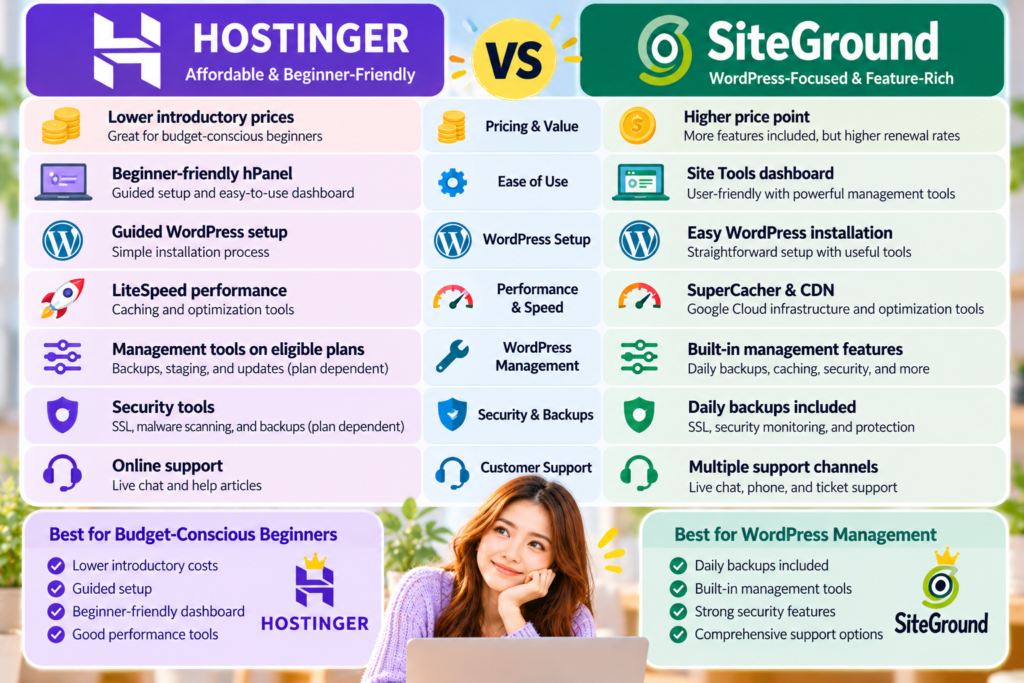
Figure 2. Hostinger stands out for budget-focused introductory hosting and guided onboarding, while SiteGround offers strong built-in WordPress management features, including daily backups. Both providers offer beginner-friendly WordPress installation and performance optimisation tools.
Which Is Better So Far?
After comparing pricing, ease of use, WordPress installation, performance features, and WordPress management, Hostinger appears to be the more practical starting point for many budget-conscious beginners.
Its guided onboarding, hPanel dashboard, and introductory hosting offers may appeal to people starting their first WordPress blog.
SiteGround remains a strong alternative.
Its daily backups, WordPress optimisation tools, and website management features may appeal to bloggers who want a more comprehensive maintenance environment.
However, the best choice depends on your priorities.
If keeping initial hosting costs manageable is your main concern, consider Hostinger.
If built-in WordPress maintenance and backup features matter more, SiteGround may be worth the additional cost.
Neither provider is automatically better for every website.
A successful hosting decision also depends on security, customer support, renewal pricing, and the features your website will need over time.
Hostinger vs SiteGround: Security & Backups
Website security is important for every WordPress blog, even if you are just getting started.
Your website may contain blog posts, images, contact forms, and other information that you want to protect.
Security problems can lead to downtime, lost content, or unwanted changes to your website.
Backups are equally important because they let you restore your website if something goes wrong.
Both Hostinger and SiteGround offer security and backup features, but they differ in how they include these tools with their hosting plans.
Hostinger Security Features
Hostinger provides several security features designed to help protect websites.
Depending on the hosting plan, these may include:
- Free SSL certificates
- DDoS protection
- Malware scanning and security monitoring
- Automatic WordPress updates
- Website backups
- WordPress security tools
- Additional security features on selected plans
SSL certificates help encrypt information exchanged between your website and its visitors.
This is especially important if your website uses contact forms or collects visitor information.
Hostinger also provides backup options that can help you restore your website after certain problems.
However, backup frequency and retention periods depend on the hosting plan.
Some plans may provide more frequent backups than others.
Before purchasing, check how often backups are created and how long they are stored.
SiteGround Security Features
SiteGround also offers several security features for WordPress websites.
These include:
- Free SSL certificates
- Daily website backups
- Server-level security protection
- WordPress security tools
- Security monitoring
- Automatic WordPress updates
- Website restoration options
- Additional security features on eligible plans
One advantage of SiteGround is that its WordPress hosting plans include daily backups.
This can help if a plugin update causes problems or you accidentally make an unwanted change.
SiteGround also offers WordPress security tools designed to help website owners protect their websites.
However, the availability of advanced security features and restoration options may depend on the selected hosting package.
Which Is Better for Security & Backups?
Both Hostinger and SiteGround provide essential security features.
Hostinger offers SSL certificates, security tools, and backup options that can help beginners maintain their websites.
SiteGround stands out for including daily backups with its WordPress hosting plans.
For beginners who want regular backups without having to select a higher-tier plan specifically for that feature, this can be a meaningful advantage.
However, daily backups do not guarantee that a website will never experience security problems.
You should still keep WordPress updated, use strong passwords, and maintain additional backups when appropriate.
Winner: SiteGround — For Included Daily Backups
This recommendation focuses on backup availability rather than claiming that SiteGround is universally more secure.
Hostinger vs SiteGround: Customer Support
Customer support can make a big difference when you are starting your first WordPress blog.
Even simple hosting problems can feel stressful if you have never managed a website before.
For example, you may need help with:
- Connecting your domain
- Installing WordPress
- Setting up an SSL certificate
- Fixing a website error
- Restoring a backup
- Understanding hosting settings
Having access to helpful support resources can save time and make website management less frustrating.
Hostinger Customer Support
Hostinger offers customer assistance through online support channels, including live chat.
It also provides tutorials, documentation, and help articles covering common website management tasks.
These resources can help beginners learn to manage their websites independently.
Hostinger’s support materials cover topics such as WordPress installation, domains, hosting settings, and website management.
However, response times and available assistance can vary depending on the issue.
SiteGround Customer Support
SiteGround provides customer support through several channels.
Depending on the service and issue, these may include:
- Live chat
- Support tickets
- Telephone support
- Help articles
- WordPress tutorials
- Technical documentation
SiteGround also offers resources designed to help WordPress users manage common website problems.
This can help beginners with installation, configuration, or maintenance.
However, the available support channels may depend on the type of request and the customer’s hosting service.
Which Has Better Customer Support?
Both Hostinger and SiteGround provide support resources for website owners.
Hostinger offers online assistance and beginner-friendly tutorials.
SiteGround provides several support channels and WordPress-focused documentation.
For users who prefer multiple ways to contact support, SiteGround may be more appealing.
However, without testing both companies under comparable conditions, it’s not accurate to claim one consistently provides faster or more helpful responses.
Winner: Tie — Both Offer Customer Support Resources
Before choosing a provider, check which support channels are currently available and whether they match your preferences.
Hostinger Pros & Cons
Hostinger offers beginner-focused hosting services and tools designed to simplify WordPress setup.
However, it is important to consider both its advantages and limitations.
Hostinger Pros
1. Affordable Introductory Hosting
Hostinger often offers promotional hosting prices that may appeal to beginners on a limited budget.
2. Beginner-Friendly hPanel
Its custom dashboard provides access to common hosting and WordPress management features.
3. Guided WordPress Setup
Hostinger offers installation and onboarding tools that can help beginners create a website without coding.
4. WordPress Performance Tools
Selected plans include caching and optimisation features designed to support website performance.
5. Website Management Features
Depending on the plan, users may have access to backups, staging, updates, and AI-assisted tools.
Hostinger Cons
1. Higher Renewal Prices
Introductory discounts may not apply when your subscription renews.
2. Longer Commitments for the Lowest Rates
Some promotional prices require longer billing periods.
3. Backup Features Vary by Plan
Backup frequency and retention periods depend on the hosting package.
4. Advanced Tools May Require an Upgrade
Certain management and optimisation features are available only on selected plans.
SiteGround Pros & Cons
SiteGround offers WordPress-focused hosting with built-in performance, security, and website management features.
These tools may appeal to bloggers who want additional assistance with WordPress maintenance.
SiteGround Pros
1. Daily Website Backups
SiteGround includes daily backups with its WordPress hosting plans.
2. WordPress-Focused Management Tools
Site Tools provides access to important website management features.
3. Built-In Performance Features
SiteGround offers caching, CDN, and WordPress optimisation tools.
4. Security Features
Its hosting services include SSL certificates and security tools designed to help protect websites.
5. Multiple Support Channels
SiteGround provides different support options depending on the service and request.
SiteGround Cons
1. Higher Renewal Costs
Renewal pricing may be significantly higher than introductory promotional rates.
2. Advanced Features Depend on the Plan
Some tools, including staging, are available only with eligible hosting packages.
3. May Cost More Than Budget Hosting Alternatives
SiteGround may not be the most economical option for someone prioritising the lowest initial hosting cost.
4. Some Features May Be Unnecessary for a New Blog
Beginners with simple websites may not need every advanced WordPress management feature.
Who Should Choose Hostinger?
Hostinger may be the better choice if you want to start a WordPress blog with affordable introductory hosting and beginner-friendly setup tools.
Its guided onboarding and hPanel dashboard may appeal especially if you have never created a website before.
Choose Hostinger If You:
- Are starting your first WordPress blog.
- Want to keep your initial hosting expenses manageable.
- Prefer a guided website setup process.
- Have little or no coding experience.
- Want beginner-friendly website management tools.
- Are creating a personal blog or exploring blogging as a side hustle.
For many beginners, the main goal is getting a website online and learning to publish content.
Hostinger offers tools that can help simplify that process.
However, always compare renewal prices and confirm that your chosen plan includes the features you need.
Who Should Choose SiteGround?
SiteGround may be the better fit if you want WordPress-focused hosting with built-in backup, security, and performance tools.
Its Site Tools dashboard and daily backups may appeal to users who value easy website management.
Choose SiteGround If You:
- Want daily website backups included with your hosting plan.
- Prefer built-in WordPress management tools.
- Value caching and website optimisation features.
- Want access to WordPress security tools.
- Are willing to compare higher long-term hosting costs.
- Plan to manage a website that may need additional maintenance features.
SiteGround can also suit beginners.
However, it may be particularly attractive to users who prioritise included WordPress management features over the lowest introductory price.
My Personal Recommendation: Hostinger vs SiteGround
When choosing web hosting for a first blog, I believe beginners should focus on three important factors:
Ease of use, total cost, and essential WordPress features.
It can be tempting to choose the hosting provider with the longest feature list.
However, more features do not always mean better value.
If you are creating your first blog, your main priority is usually installing WordPress, choosing a theme, and publishing useful content.
You don’t necessarily need advanced hosting tools right away.
Based on the features compared in this article, Hostinger is my preferred starting point for many budget-conscious beginners.
Its guided setup process, hPanel dashboard, and introductory hosting options make it an appealing choice for first-time bloggers.
However, SiteGround is a strong alternative, especially if you value daily backups and built-in WordPress management tools.
Its caching, security, and maintenance features may appeal to website owners who want a more comprehensive hosting environment.
I haven’t personally tested Hostinger and SiteGround side by side, so this recommendation is based on their published features and plan structures rather than firsthand performance testing.
My Advice for New Bloggers
If you are starting your first WordPress blog, choose a hosting plan that meets your current needs.
Don’t pay for advanced features just because they sound impressive.
Instead, ask yourself:
- Can I afford the initial and renewal costs?
- Does the plan include the WordPress tools I need?
- How often are website backups created?
- Can I comfortably manage the hosting dashboard?
- What support options are available if something goes wrong?
These questions can help you make a more practical decision.
The best hosting provider is not necessarily the one with the most features. It is the one that helps you start and manage your blog with confidence.
Ready to Choose Your WordPress Hosting?
Before purchasing, compare the latest Hostinger and SiteGround plans.
Review their introductory prices, renewal rates, backup features, and WordPress management tools.
Make sure you understand what the hosting package includes.
Compare the current Hostinger and SiteGround hosting plans before you decide.
Frequently Asked Questions
Is Hostinger or SiteGround Better for Beginners?
Hostinger may be more appealing to budget-conscious beginners because of its introductory pricing, guided WordPress setup, and hPanel dashboard.
SiteGround is also beginner-friendly and may suit users who prioritise daily backups and built-in WordPress management tools.
Is Hostinger Cheaper Than SiteGround?
Hostinger generally emphasises budget-friendly introductory hosting.
However, the cheapest option depends on the current promotion, subscription length, renewal pricing, and included features.
Compare the total cost over the same billing period before choosing a provider.
Is SiteGround Good for WordPress?
Yes. SiteGround offers WordPress hosting with installation tools, caching, daily backups, security features, and website management tools.
Some advanced features depend on the selected hosting plan.
Is Hostinger Faster Than SiteGround?
Not necessarily.
Both providers offer WordPress performance tools.
Hostinger uses LiteSpeed-based technology on relevant hosting services, while SiteGround provides caching and optimisation features such as SuperCacher.
Actual website speed depends on the hosting plan, WordPress configuration, website content, and other factors.
Does Hostinger Include Free SSL?
Yes. Hostinger includes free SSL certificates with its hosting services.
Check the current plan details for any relevant conditions.
Does SiteGround Offer Free SSL?
Yes. SiteGround includes free SSL certificates with its hosting plans.
SSL helps encrypt information exchanged between a website and its visitors.
Does SiteGround Include Daily Backups?
Yes. SiteGround includes daily backups with its WordPress hosting plans.
However, backup retention periods and restoration options can vary by plan.
Does Hostinger Offer Website Backups?
Yes. Hostinger offers website backup features.
Frequency and retention depend on your hosting plan.
Is SiteGround Worth the Higher Price?
SiteGround may be worth considering if you value its included daily backups, WordPress management tools, security features, and performance optimisation options.
However, beginners who primarily want affordable introductory hosting may prefer Hostinger.
Can I Move My WordPress Blog from Hostinger to SiteGround?
Yes. You can generally migrate WordPress websites between compatible hosting providers.
Before migrating, create a complete website backup and review the migration tools or assistance your new hosting provider offers.
Conclusion: Hostinger vs SiteGround — Which Should You Choose?
Hostinger and SiteGround both offer solid hosting for WordPress websites.
However, they emphasise different features and hosting experiences.
Hostinger is my recommended starting point for many budget-conscious beginners.
Its guided WordPress setup, hPanel dashboard, and accessible introductory hosting options make it appealing to people creating their first blog.
If your main goal is to start publishing content without spending too much on hosting initially, Hostinger is worth considering.
SiteGround is a strong alternative for bloggers who prioritise built-in WordPress management features.
Its daily backups, caching tools, security features, and Site Tools dashboard may appeal to users who want convenient website maintenance options.
However, neither provider is automatically the best choice for every website.
The right hosting company depends on your budget, technical experience, and long-term blogging goals.
Before purchasing, compare the latest plan details, renewal prices, backup options, and support features.
Final Verdict
Best for Budget-Conscious Beginners: Hostinger
Best for Built-In WordPress Management: SiteGround
Best for Security & Included Daily Backups: SiteGround
Best for Customer Support: Tie
Best for Website Performance: Depends on the Plan and Configuration
If you want an affordable starting point with guided WordPress setup, Hostinger may be the better fit.
If you value daily backups and WordPress management features, SiteGround is worth considering.
Choose the hosting provider that balances affordability, usability, and essential website tools.
Recommended Next Reads
Still comparing WordPress hosting providers? These beginner-friendly guides can help you explore more options and make an informed decision.
Bluehost vs Hostinger: Which Is Better for Beginners?
Wondering how Hostinger compares with Bluehost? Explore their pricing, WordPress features, ease of use, and support to find the right hosting provider for your first blog.
Bluehost vs SiteGround: Which Hosting Should You Choose?
See how SiteGround compares with Bluehost, another popular option for WordPress beginners. Learn how they differ in pricing, site management, and beginner-friendly features.
Bluehost Review: Is It Worth It for Beginners?
Interested in another beginner-friendly hosting option? Read my Bluehost review to explore its WordPress features, pricing, and my personal experience using Bluehost.
How Much Does It Cost to Start a Blog?
Before choosing a hosting provider, learn about the costs of starting a WordPress blog, including hosting, domain registration, themes, and other essential expenses.