DreamHost vs SiteGround (2026): Best for Beginners?

Choosing the right web hosting provider is one of the first important decisions you will make when starting a WordPress blog.
If you are comparing DreamHost vs SiteGround, you may be wondering which company offers better value, easier WordPress setup, faster performance, and more helpful features for beginners.
Both providers offer WordPress hosting, but they take slightly different approaches.
DreamHost focuses on straightforward website management, flexible hosting options, and tools that help you get started.
SiteGround emphasises managed WordPress features, website performance tools, security, and a dedicated website management dashboard.
But which one should you choose for your first blog?
In this DreamHost vs SiteGround comparison for 2026, we will explore:
- Pricing and renewal costs
- Ease of use
- WordPress installation
- Website speed and performance
- Security and backups
- Customer support
- WordPress management features
- Which hosting provider is better for beginners
By the end of this guide, you will have a clearer idea of which hosting provider best fits your website, budget, and blogging goals.
Let’s start with the quick answer.
DreamHost vs SiteGround: Quick Answer
DreamHost may be the better choice for beginners who want straightforward WordPress hosting and prefer to keep their initial hosting costs manageable.
Its hosting services include a custom control panel, WordPress installation tools, SSL certificates, and automated backups.
DreamHost also offers different hosting options as your website grows.
SiteGround may be the better choice for bloggers who want more built-in WordPress management and performance tools.
Its WordPress hosting includes daily backups, caching, security tools, and the Site Tools dashboard.
Higher-tier plans include advanced features like WordPress staging and on-demand backups.
Which One Should Beginners Choose?
Here is a simple way to think about the difference:
Choose DreamHost if:
You want a straightforward hosting experience, WordPress support, and a plan that fits your starting budget.
Choose SiteGround if:
You want integrated WordPress tools, caching, and security features, and you are comfortable comparing different hosting tiers.
My quick recommendation: DreamHost is worth considering for a budget-conscious first-time blogger, while SiteGround is attractive for beginners who value integrated WordPress management tools.
However, neither provider is automatically better in every category.
The right choice depends on your plan and the features you need.
DreamHost vs SiteGround: Quick Comparison
Before we explore each provider in detail, let’s compare their main features.
| Feature | DreamHost | SiteGround |
|---|---|---|
| Best For | Beginners seeking straightforward hosting | Bloggers who want integrated WordPress tools |
| WordPress Hosting | Yes | Yes |
| Control Panel | Custom DreamHost panel | Site Tools |
| WordPress Installation | Available | Available |
| Free SSL | Yes | Yes |
| Automated Backups | Daily backups on current WordPress hosting plans | Daily backups |
| CDN | Depends on hosting product and plan | Free CDN included |
| WordPress Staging | Available with DreamPress | Available on GrowBig and higher shared plans |
| Caching Tools | Vary by hosting product | Built-in caching and WordPress optimisation tools |
| Customer Support | Online support and help resources | 24/7 support and help resources |
| Introductory Pricing | Promotional plans available | Promotional plans available |
| Renewal Pricing | Higher than some introductory offers | Higher than some introductory offers |
Important: Hosting features and prices can change. Always check the current plan details before purchasing.
💡Compare the latest options on the official DreamHost pricing page and SiteGround WordPress hosting page.
What Matters Most for Beginners?
When choosing web hosting for your first WordPress blog, it is easy to focus only on the monthly price.
However, the cheapest advertised plan is not always the best long-term choice.
Here are five things to compare.
1. Total Hosting Cost
Check the introductory price, renewal price, and billing period.
A low advertised monthly rate may require an annual or multi-year payment.
2. WordPress Setup
Look for a hosting provider that makes installing and managing WordPress approachable.
You should not need advanced technical skills to publish your first blog post.
3. Website Performance
A good hosting environment helps your website load quickly.
However, your WordPress theme, images, plugins, and caching settings also affect speed.
4. Security and Backups
Look for SSL certificates, automated backups, and practical security features.
It is also important to understand how website restoration works.
5. Room to Grow
Your hosting needs may change as you publish more articles and attract more visitors.
Choose a plan that supports your current website while allowing you to upgrade later.
These factors will help us make a more useful comparison than looking at promotional prices alone.
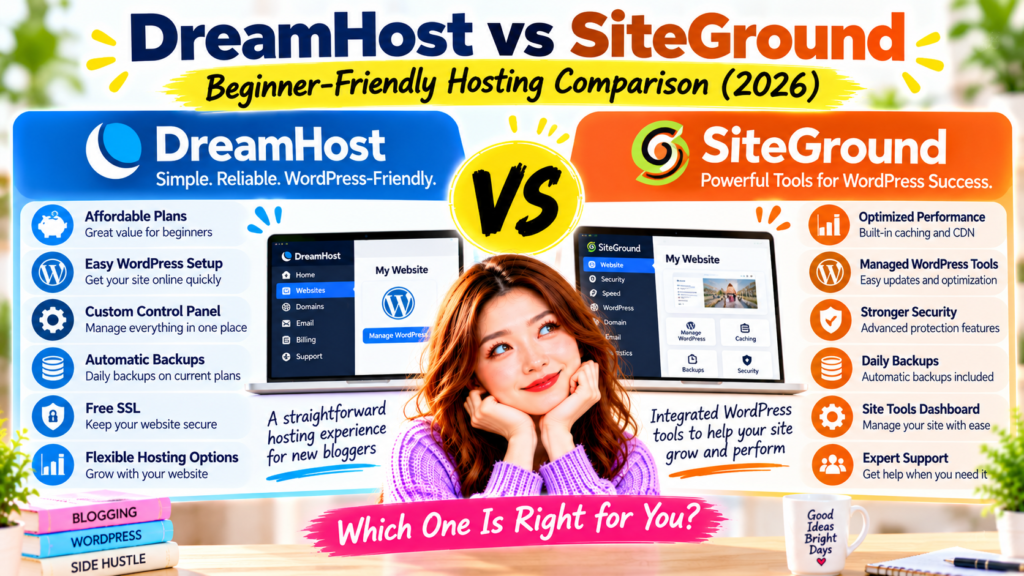
Figure 1. DreamHost offers straightforward WordPress hosting through its custom control panel, while SiteGround provides integrated WordPress management, caching, and security tools through Site Tools. The best choice depends on your budget, preferred features, and blogging goals.
What Is DreamHost?
DreamHost is a web hosting company that provides hosting services for websites, blogs, and online businesses.
It offers several hosting options, including standard web hosting, WordPress hosting, managed WordPress hosting, and VPS hosting.
For someone starting a WordPress blog, DreamHost’s standard WordPress-compatible hosting may be a practical place to begin.
Its platform includes tools to manage domains, install WordPress, and handle common website settings.
DreamHost’s Main Features
Some of DreamHost’s key hosting features include:
- WordPress-compatible hosting
- Custom hosting control panel
- WordPress installation tools
- Free SSL certificates
- Automated daily backups on current WordPress hosting plans
- NVMe SSD storage on eligible plans
- Website migration options
- Customer support resources
- Different hosting plans for growing websites
The exact features depend on the hosting product and plan.
For example, DreamHost’s managed WordPress service, DreamPress, offers additional features that a basic web hosting plan may not include.
These can include staging environments and more advanced WordPress management tools.
DreamHost Control Panel
One important thing to note: DreamHost doesn’t use cPanel.
Instead, it provides its own hosting control panel.
This dashboard allows users to manage common website tasks, such as:
- Domains
- Website hosting
- WordPress installations
- SSL certificates
- Databases
- Files
- Email services, where included
For beginners, having key website settings in one place can help.
However, the dashboard may feel unfamiliar if you’ve used cPanel or another hosting platform before.
You can learn more in the official DreamHost control panel guide.
Is DreamHost Good for WordPress Beginners?
DreamHost can be a good option for beginners who want to create a WordPress website without managing a server.
Its hosting plans support common website tasks, and the platform includes WordPress installation.
However, beginners should still compare the available plans carefully.
For example, a basic hosting plan may provide everything you need for a new blog.
A managed WordPress plan may suit you better if you want extra features and are willing to pay more.
The most important thing is choosing a plan that matches your current needs.
DreamHost: Things to Consider
DreamHost has several advantages, but it also has some important considerations.
First, renewal prices may be higher than introductory prices.
A promotional offer can make a hosting plan look inexpensive during the first billing period.
However, your long-term cost may be different.
Second, advanced WordPress features depend on the hosting product.
Do not assume that every DreamHost plan includes staging, advanced caching, or the same backup controls.
Third, DreamHost uses its own control panel.
This can be convenient, but it may take time to learn.
Who Might Like DreamHost?
DreamHost may appeal to:
- First-time WordPress bloggers
- Budget-conscious website owners
- Side-hustle beginners
- People who want straightforward hosting management
- Bloggers who want the option to upgrade later
Beginner Tip: If you are launching your first blog, focus on the features you actually need rather than paying for advanced tools immediately.
What Is SiteGround?
SiteGround is a web hosting company that offers hosting services for WordPress websites, business websites, and online stores.
It is known for providing a collection of WordPress management, caching, and security tools within its hosting platform.
For bloggers, SiteGround offers WordPress hosting plans designed to simplify common website tasks.
These include WordPress installation, updates, backups, and website optimisation.
SiteGround’s Main Features
SiteGround’s WordPress hosting features include:
- WordPress installation tools
- Site Tools hosting dashboard
- Free SSL certificates
- Automated daily backups
- Free CDN
- Built-in caching
- WordPress Speed Optimiser plugin
- WordPress Security Optimiser plugin
- Managed WordPress update tools
- Customer support
- Website migration tools
Some additional features are available only on higher-tier plans.
For example, GrowBig and higher shared hosting plans include WordPress staging and on-demand backups.
This distinction matters because beginners may not need every advanced feature when starting a small blog.
SiteGround Site Tools Dashboard
SiteGround uses its own website management dashboard called Site Tools.
Like DreamHost, SiteGround does not rely on the traditional cPanel interface for its current hosting platform.
Site Tools allows users to manage website settings such as:
- Domains
- SSL certificates
- Website files
- Email accounts
- Backups
- Caching
- CDN settings
- Databases
- WordPress-related tools
One notable feature is its focus on websites.
If you manage multiple websites, you can access a separate Site Tools area for each site.
This may help bloggers who eventually manage more than one website.
You can explore the official SiteGround Site Tools overview.
Is SiteGround Good for WordPress Beginners?
SiteGround can be a good choice for beginners who want several WordPress management tools built into their hosting.
For example, built-in caching and security tools may reduce the need to research separate solutions immediately.
Its automated backup system can also add an extra layer of protection when you make website changes.
However, more features don’t automatically make a hosting platform easier for everyone.
A complete beginner may need time to understand the available settings.
Focus on the essential tools first.
SiteGround: Things to Consider
SiteGround offers useful WordPress features, but keep a few things in mind.
First, introductory and renewal prices can differ significantly.
Before purchasing, check what you will pay after the promotional period ends.
Second, advanced features depend on your plan.
For example, the entry-level StartUp shared hosting plan does not include WordPress staging.
Third, the dashboard may take time to learn.
Site Tools simplifies website management, but beginners still need to get familiar with hosting settings.
Fourth, performance depends on more than hosting alone.
Built-in caching can help, but a heavy WordPress theme or large, unoptimized images can still slow your website.
Who Might Like SiteGround?
SiteGround may appeal to:
- WordPress beginners who want integrated management tools
- Bloggers who value built-in caching
- Website owners who want daily backups
- People planning to manage multiple websites
- Bloggers interested in WordPress staging on higher-tier plans
- Small business website owners
Beginner Tip: If you are considering SiteGround, compare StartUp and GrowBig carefully. You may not need a higher-tier plan’s extra features when your blog is brand new.
DreamHost vs SiteGround: My First Impression
At first glance, DreamHost and SiteGround both look like reasonable choices for WordPress beginners.
However, their strengths differ slightly.
DreamHost Focuses on Straightforward Hosting
DreamHost provides a custom dashboard and WordPress-compatible hosting plans.
Its approach may appeal to someone who wants to get a blog online and begin publishing content without purchasing unnecessary extras.
It also offers managed WordPress options for users who need more advanced features later.
SiteGround Focuses on Integrated WordPress Tools
SiteGround provides a website-focused dashboard with caching, security, and backup tools.
Its WordPress hosting platform may appeal to bloggers who want these features built into their hosting.
However, the value of these tools depends on the plan and how you intend to use your website.
Which One Looks Better for Beginners?
Based on the published features, DreamHost may appeal to bloggers who prioritise straightforward hosting and lower starting costs.
SiteGround may appeal to bloggers who prioritise integrated WordPress management and optimisation tools.
I haven’t personally tested these two providers under identical conditions, so this isn’t a firsthand performance comparison.
To make a more informed decision, we need to look more closely at pricing, ease of use, WordPress setup, and website performance.
That is where the differences become more interesting.
DreamHost vs SiteGround: Pricing & Value
Pricing is one of the biggest factors when choosing web hosting for your first WordPress blog.
If you are starting a blog as a side hustle, you probably want to keep your expenses manageable.
However, comparing hosting prices is not always as simple as looking at the advertised monthly rate.
Both DreamHost and SiteGround offer introductory discounts, and what you pay depends on your hosting plan, billing period, and promotional offer.
Here’s what beginners should know.
DreamHost Pricing
DreamHost offers several hosting options for different types of websites.
For a new WordPress blog, its standard web hosting plans may provide a practical starting point.
DreamHost also offers DreamPress, its managed WordPress hosting service, for users who want additional WordPress-specific features.
When comparing DreamHost plans, check:
- The introductory hosting price
- The renewal price
- The length of the billing period
- The number of websites allowed
- Storage limits
- Domain registration and renewal costs
- Email hosting availability
- Backup and restoration options
Some features may be included in one plan but cost extra in another.
For example, check email hosting and domain registration separately rather than assuming they’re free with every plan.
Beginner Tip: Look at the total amount due at checkout, not just the advertised monthly-equivalent price.
Review the current options on the official DreamHost pricing page.
SiteGround Pricing
SiteGround offers WordPress hosting plans for websites with different requirements.
Its shared WordPress hosting plans commonly include:
StartUp
Designed for users starting a single website.
GrowBig
Provides additional resources and features for users who need more flexibility.
GoGeek
Offers higher-tier resources and additional tools for more demanding websites.
SiteGround’s plans include WordPress-related features such as SSL, caching, backups, and website management tools.
However, advanced features vary by plan.
For example, eligible higher-tier plans include WordPress staging and on-demand backup options.
When comparing SiteGround plans, check:
- The promotional price
- The renewal price
- The billing term
- Website limits
- Storage allowances
- Backup features
- Staging availability
- Email hosting features
- Domain registration costs
A higher-tier plan may offer useful features, but that does not mean every beginner needs it.
If you are launching your first blog, the entry-level plan may be sufficient.
Compare the latest options on the official SiteGround WordPress hosting page.
DreamHost vs SiteGround: Pricing Comparison
| Pricing Factor | DreamHost | SiteGround |
|---|---|---|
| Introductory Discounts | Available | Available |
| Renewal Pricing | May increase after promotion | May increase after promotion |
| WordPress Hosting | Available | Available |
| Managed WordPress Options | DreamPress | WordPress management features included in shared plans |
| Free SSL | Included | Included |
| Domain Registration | Depends on plan and offer | Usually purchased separately |
| Email Hosting | Depends on plan | Available with hosting plans |
| Advanced WordPress Features | Depends on hosting product | Depends on hosting tier |
| Best Value | Depends on selected plan and term | Depends on selected plan and term |
Which Hosting Provider Offers Better Value?
DreamHost may appeal to bloggers who want a straightforward hosting plan without paying for advanced features immediately.
SiteGround may appeal to bloggers who value its integrated WordPress tools, caching, and website management features.
However, the best value depends on what you actually need.
For example, a plan with more features isn’t necessarily a better deal if you never use them.
Likewise, a cheaper plan may become less attractive if you need to purchase several additional services.
Winner: Tie — the better value depends on the current offer, renewal price, and included features.
My Recommendation: Compare the total cost over at least your first hosting term and the following renewal period before choosing.
DreamHost vs SiteGround: Ease of Use
Ease of use matters when you are starting your first WordPress website.
You may already be learning how to choose a domain, install WordPress, select a theme, and publish your first blog post.
A hosting dashboard should help you complete these tasks without unnecessary confusion.
DreamHost and SiteGround each use their own hosting management interface.
However, their dashboards are organised differently.
DreamHost Ease of Use
DreamHost provides a custom hosting control panel.
This dashboard allows users to manage common hosting tasks, including:
- Websites
- Domains
- WordPress installations
- SSL certificates
- Databases
- Files
- Email services
- Hosting settings
Because DreamHost uses its own interface, you do not need to learn traditional cPanel navigation.
For beginners, having key settings in one account dashboard can help.
However, some tasks may still require following support documentation.
If you are completely new to web hosting, expect a short learning period.
SiteGround Ease of Use
SiteGround uses its Site Tools dashboard.
Site Tools provides website-specific management options, including:
- WordPress installation
- Domain settings
- SSL management
- File management
- Email accounts
- Backups
- Caching
- CDN configuration
- Security-related settings
One useful aspect of Site Tools is that it groups many website management features around an individual website.
This makes it easier to find tools for a particular site.
SiteGround also provides WordPress-related tools through its hosting environment.
However, the number of available settings may feel overwhelming at first.
DreamHost vs SiteGround: Which Dashboard Is Easier?
DreamHost’s control panel offers a straightforward way to manage your hosting.
SiteGround’s Site Tools dashboard brings together a wide range of website management and WordPress optimisation features.
Both approaches have advantages.
For a beginner who wants fewer decisions, DreamHost’s hosting experience may feel approachable.
For someone who wants more integrated website controls, SiteGround may be more appealing.
However, dashboard preferences are subjective.
Without testing both interfaces with the same beginner tasks, it would not be fair to declare one universally easier.
Winner: Tie — both offer custom dashboards designed to help users manage websites.
DreamHost vs SiteGround: WordPress Setup
WordPress setup is one of the first things you will do after purchasing hosting.
The good news is you don’t need to know how to code to install WordPress with either provider.
Both DreamHost and SiteGround provide WordPress installation tools.
Let’s compare their approaches.
DreamHost WordPress Installation
DreamHost provides WordPress installation options through its hosting platform.
The general process involves:
- Choosing a hosting plan
- Connecting or registering a domain
- Selecting WordPress installation options
- Completing the setup process
- Logging in to your WordPress dashboard
The exact steps depend on the hosting product and whether WordPress is already installed.
After setup, you can choose a theme, create pages, and write blog posts.
DreamHost also provides support documentation for common WordPress tasks.
SiteGround WordPress Installation
SiteGround provides WordPress installation through its hosting setup tools.
The general process involves:
- Choosing a WordPress hosting plan
- Connecting or registering a domain
- Starting the website setup process
- Selecting WordPress
- Creating your WordPress login details
- Completing installation
- Opening the WordPress dashboard
SiteGround also offers tools for managing WordPress installations after setup.
These can be useful when you need to update WordPress or configure website settings.
Which Is Better for WordPress Beginners?
Both providers let users install WordPress without manually configuring a server.
DreamHost offers WordPress installation through its hosting environment.
SiteGround provides WordPress setup and additional management features through its platform.
For a first-time blogger, either approach can work.
The most important thing is following the provider’s setup instructions carefully.
Winner: Tie — both offer beginner-accessible WordPress installation tools.
Beginner Tip: After installing WordPress, spend time learning the dashboard before adding lots of plugins.
DreamHost vs SiteGround: Performance & Speed
Website speed matters for both visitors and search engines.
A slow website can make it harder for readers to navigate your content.
However, website performance depends on several factors.
These include:
- Hosting resources
- Server configuration
- Website caching
- Image optimization
- WordPress theme
- Plugins
- CDN usage
- Visitor location
This means choosing a hosting provider matters, but hosting alone doesn’t determine website speed.
DreamHost Performance Features
DreamHost offers different performance-related technologies depending on the hosting product.
These may include:
- SSD or NVMe SSD storage
- Server-level optimization
- WordPress-compatible hosting environments
- Caching features on eligible products
- Managed WordPress performance tools
- Additional resources on higher-tier plans
For example, DreamPress provides a managed WordPress environment with features that differ from standard shared hosting.
Therefore, compare specific hosting plans rather than treating every DreamHost product the same.
A basic WordPress blog may not need advanced hosting resources immediately.
However, as traffic grows, you may want to consider additional performance features.
SiteGround Performance Features
SiteGround provides several integrated performance tools.
Depending on the plan, these include:
- Built-in caching
- Free CDN
- WordPress Speed Optimiser plugin
- Server-side performance optimisation
- SSD storage
- Additional resources on higher-tier plans
SiteGround’s caching tools are designed to help reduce the work required to deliver website content.
Its CDN can also help deliver website assets from locations closer to visitors.
However, caching and a CDN don’t guarantee every website will load quickly.
Large images, heavy themes, and poorly configured plugins can still affect performance.
DreamHost vs SiteGround: Speed Comparison
| Performance Feature | DreamHost | SiteGround |
|---|---|---|
| SSD-Based Storage | Available | Available |
| Built-In Caching | Depends on hosting product | Included caching tools |
| CDN | Depends on product or configuration | Free CDN included |
| WordPress Optimization | Available through hosting features and managed products | Integrated optimisation tools |
| Performance Resources | Depends on plan | Depends on plan |
| Real-World Speed | Requires testing | Requires testing |
Is SiteGround Faster Than DreamHost?
SiteGround offers a clear set of integrated caching and optimisation tools.
This gives it an advantage in built-in performance management features on its WordPress hosting platform.
However, that does not prove SiteGround is always faster than DreamHost.
A fair speed comparison would require testing similar websites under controlled conditions.
For example, both websites would need:
- The same WordPress theme
- Similar hosting resources
- The same content and images
- Comparable caching settings
- Similar testing locations
- Multiple performance measurements
I have not performed those tests.
Therefore, I can’t claim that one provider consistently delivers faster load times.
Winner: SiteGround for integrated performance tools — not a verified overall speed winner.
DreamHost vs SiteGround: WordPress Management Features
Once your WordPress blog is online, you will need to manage it regularly.
Common tasks include:
- Updating WordPress
- Updating themes and plugins
- Creating backups
- Managing SSL certificates
- Monitoring website performance
- Troubleshooting errors
- Managing domains
- Making website changes
Both DreamHost and SiteGround provide tools to help with these tasks.
However, features vary by hosting plan.
DreamHost WordPress Management
DreamHost provides WordPress management features through its hosting dashboard.
Users can access tools related to installation, hosting configuration, domains, and website settings.
DreamPress offers additional managed WordPress features for users who need a more specialised environment.
This means DreamHost provides different levels of WordPress management depending on the product.
For a beginner, a standard hosting plan may be enough.
For a growing website, a managed WordPress product may offer useful additional features.
SiteGround WordPress Management
SiteGround provides several WordPress management tools through Site Tools and its WordPress plugins.
These include features related to:
- WordPress installation
- WordPress updates
- Website caching
- Security optimization
- Backups
- CDN settings
- Website staging on eligible plans
One advantage is that SiteGround offers many of these tools within its hosting environment.
For bloggers who want integrated management features, this can be convenient.
However, not every plan includes advanced features.
Which Provider Has Better WordPress Tools?
DreamHost provides useful WordPress management tools, with additional features available through DreamPress.
SiteGround offers a broad collection of integrated WordPress management and optimization tools through its shared WordPress hosting platform.
For beginners who want caching, optimisation, and website management tools in one environment, SiteGround may have the edge.
However, DreamHost may still be a better fit if you prefer its hosting structure or don’t need the extra features.
Winner: SiteGround — for its integrated WordPress management tools on the plans compared.
DreamHost vs SiteGround: Comparison Results
Now that we have compared the main features, let’s review the results.
| Category | Winner | Reason |
|---|---|---|
| Pricing & Value | Tie | Depends on plan, term, and renewal cost |
| Ease of Use | Tie | Both provide custom dashboards |
| WordPress Setup | Tie | Both offer WordPress installation tools |
| Performance Tools | SiteGround | Integrated caching and optimisation features |
| WordPress Management | SiteGround | Broad collection of integrated WordPress tools |
Current Score
DreamHost: 0 category wins
SiteGround: 2 category wins
Tie: 3 categories
These results compare the available features discussed above.
They don’t reflect independent speed tests or prove SiteGround is the best hosting provider for every beginner.
DreamHost may still offer better value for a specific budget or hosting need.
The final decision also depends on security, backups, customer support, and your long-term blogging goals.
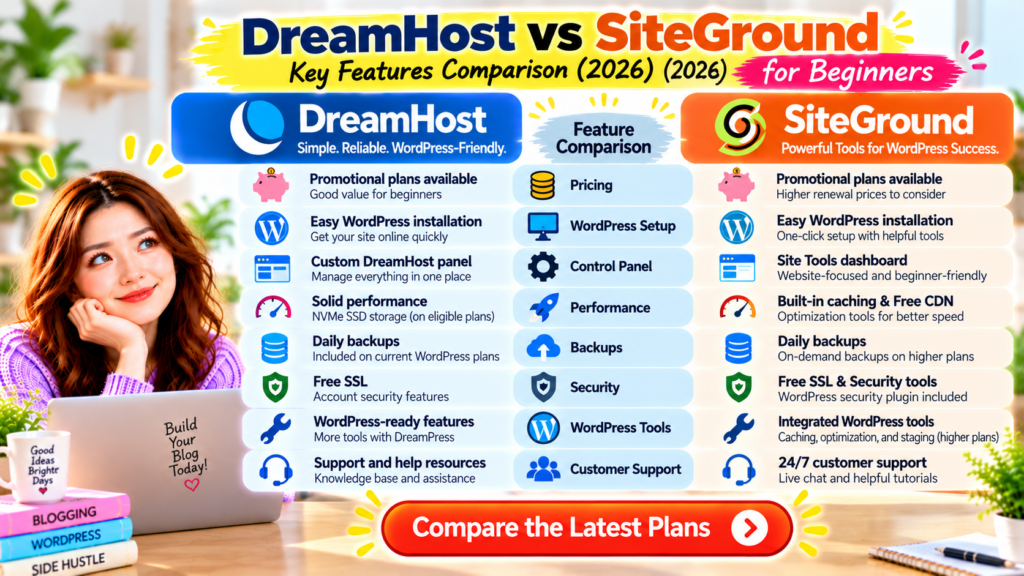
Figure 2. DreamHost offers WordPress-compatible hosting with a custom control panel and different hosting options, while SiteGround provides integrated caching, optimisation, and WordPress management tools. Pricing and overall performance depend on the specific plan, website configuration, and renewal costs.
DreamHost vs SiteGround: Which Is Better So Far?
So far, SiteGround has a slight edge in integrated WordPress management and performance tools.
Its caching, CDN, and optimisation features may appeal to bloggers who want these tools available through their hosting provider.
However, DreamHost remains a practical option for beginners who want straightforward WordPress hosting and are carefully managing their starting budget.
The most important thing is choosing a hosting plan that fits your needs.
A new blog with a small number of articles may not require the same hosting resources as a busy website with thousands of visitors.
Before making a final decision, we still need to compare two important areas:
Security and backups, which help protect your website.
Customer support, which becomes especially valuable when you experience technical problems.
We will also cover the pros and cons of each provider, who should choose each one, and my final recommendation for WordPress beginners.
DreamHost vs SiteGround: Security & Backups
Website security is one of the most important factors when choosing a hosting provider.
Even if you are starting a small WordPress blog, you need to protect your website from malware, unauthorised access, outdated plugins, and accidental changes.
Backups are equally important.
Imagine spending months writing helpful blog posts, only to lose your website because of a technical problem.
A reliable backup system can make recovery much easier.
Both DreamHost and SiteGround offer security and backup features, but their tools and restoration options differ.
Let’s compare them.
DreamHost Security Features
DreamHost provides several features designed to help protect websites.
Depending on the hosting product and plan, these may include:
- Free SSL certificates
- Account security controls
- Automated backups
- WordPress management tools
- Server-level security measures
- Optional security services
- Additional managed WordPress protections
A free SSL certificate helps encrypt information exchanged between your website and its visitors.
However, SSL does not protect your website from every possible threat.
You should also use strong passwords, keep WordPress updated, and install plugins only from trustworthy sources.
DreamHost offers additional security-related services, but some may require an extra payment.
Always check what your selected plan includes.
DreamHost Backup Options
DreamHost provides automated backup features for eligible hosting plans.
Its current WordPress hosting plans include daily backups, but available restoration tools and backup retention periods vary by product.
DreamHost also offers different backup and management features through DreamPress.
Before purchasing, check:
- How often backups are created
- How long backups are stored
- Whether you can restore a backup yourself
- Whether manual backups are supported
- Whether additional backup features cost extra
For a beginner, the restoration process is especially important.
A backup is useful only if you can recover your website when you need it.
You can explore the official DreamHost Help Centre for current backup instructions.
SiteGround Security Features
SiteGround provides several integrated security features through its hosting platform.
These include:
- Free SSL certificates
- Automated daily backups
- Server-level security measures
- WordPress security tools
- Account security controls
- Security-related monitoring
- Additional protection features on eligible plans
SiteGround also offers a WordPress Security Optimiser plugin.
This tool helps users apply certain WordPress security settings.
For beginners, having security-related features available through the hosting provider can be convenient.
However, no hosting provider can guarantee that a WordPress website will never experience a security problem.
You still need to maintain your website responsibly.
SiteGround Backup Options
SiteGround includes automated daily backups with its WordPress hosting plans.
It also provides backup restoration tools through Site Tools.
On eligible higher-tier plans, users can create on-demand backups.
This is especially useful before making important website changes.
For example, you might want to create a backup before:
- Updating your WordPress theme
- Installing a major plugin
- Changing website settings
- Redesigning your homepage
- Making changes to your website structure
A recent backup makes it easier to recover if something goes wrong.
However, the number of available backup copies and the exact restoration options depend on your hosting plan.
Review the official SiteGround WordPress hosting features.
DreamHost vs SiteGround: Which Is Better for Security?
Both providers offer useful security and backup features.
DreamHost provides SSL, backups, and additional security options across its hosting products.
SiteGround offers an integrated suite of security tools, daily backups, and backup management.
For beginners who want several security and backup tools in one hosting dashboard, SiteGround has the edge in convenience.
However, the protection available from either provider depends on the hosting plan and how you maintain your WordPress website.
Winner: SiteGround — for its integrated security and backup management tools.
This does not mean SiteGround is guaranteed to be more secure than DreamHost in every situation.
Beginner Tip: Keep an additional backup outside your hosting account. This gives you another recovery option if your hosting service becomes unavailable.
DreamHost vs SiteGround: Customer Support
Customer support can make a big difference when you are new to WordPress.
Even with beginner-friendly hosting, you may still need help occasionally.
For example, you might experience:
- WordPress installation problems
- SSL certificate errors
- Domain connection issues
- Email configuration problems
- Website migration difficulties
- Backup restoration questions
- Unexpected website errors
Both DreamHost and SiteGround provide customer support and online documentation.
However, their support channels and conditions differ.
DreamHost Customer Support
DreamHost provides support through its customer support system and online help resources.
Customers can get help with common hosting-related issues.
DreamHost also maintains a knowledge base covering topics such as:
- WordPress installation
- Domain management
- SSL certificates
- Hosting configuration
- Email setup
- Website backups
- Website migration
Live chat availability and other support options may depend on the service and current support arrangements.
Some forms of assistance may have additional conditions or costs.
For beginners, the knowledge base can help you learn how to manage a website.
SiteGround Customer Support
SiteGround provides customer support through its hosting platform.
Its support resources include assistance for:
- WordPress installation
- Hosting account management
- Domain configuration
- SSL certificates
- Website migration
- Backups
- Email services
- Common technical problems
SiteGround also provides tutorials and help articles.
The available support channels may depend on the issue and the customer’s account.
You can explore the official SiteGround Support Centre.
Which Hosting Provider Has Better Support?
Both companies offer resources that can help beginners solve common hosting problems.
However, it’s hard to compare support quality without testing the same problems under similar conditions.
Response times may also vary by issue and support channel.
I have not personally tested DreamHost and SiteGround support side by side.
Therefore, I can’t claim one company always provides faster or more helpful support.
Winner: Tie — both offer customer assistance and useful support documentation.
Beginner Tip: Before choosing hosting, check which support channels your plan includes and whether live assistance is available when you are most likely to need it.
DreamHost Pros & Cons
DreamHost offers several benefits for WordPress beginners.
However, it also has limitations worth considering.
DreamHost Pros
1. WordPress-Friendly Hosting
DreamHost offers hosting products designed to support WordPress websites.
2. Custom Hosting Dashboard
Its control panel allows users to manage common hosting tasks without using traditional cPanel.
3. WordPress Installation Tools
Beginners can install WordPress through DreamHost’s hosting platform.
4. Free SSL Certificates
SSL certificates are available with its hosting services.
5. Automated Backup Features
Eligible hosting plans include automated backups.
6. Different Hosting Options
DreamHost offers standard hosting, managed WordPress hosting, and other products for growing websites.
7. Potentially Attractive Starting Costs
DreamHost may be worth considering for budget-conscious bloggers, depending on current promotions.
DreamHost Cons
1. Renewal Prices May Be Higher
Introductory discounts may not apply when your hosting plan renews.
2. Advanced WordPress Features Depend on the Product
Some tools available through DreamPress are not included in basic hosting plans.
3. Email Hosting May Cost Extra
Email availability and pricing depend on the hosting plan.
4. The Custom Dashboard Requires Learning
Beginners may need time to understand DreamHost’s interface.
5. Support Options Have Different Conditions
Not every support method is necessarily available in the same way for every customer.
Is DreamHost Worth It?
DreamHost is worth considering if you want WordPress-compatible hosting with a custom management dashboard and several plan options.
It may be particularly attractive if you are starting your first blog and want to manage your initial expenses carefully.
However, compare the renewal price and included features before purchasing.
SiteGround Pros & Cons
SiteGround provides a collection of integrated WordPress management, security, and optimisation tools.
These features can be useful, but they may not be necessary for every beginner.
SiteGround Pros
1. Integrated WordPress Tools
SiteGround provides WordPress management features through its hosting platform.
2. Built-In Caching
Caching tools can help improve website efficiency when configured correctly.
3. Free CDN
SiteGround includes CDN features that can help deliver website content to visitors.
4. Automated Daily Backups
Daily backups are included with its WordPress hosting plans.
5. Security Optimisation Tools
SiteGround provides security-related features and a WordPress Security Optimiser plugin.
6. Site Tools Dashboard
Users can manage website settings through a dedicated control panel.
7. WordPress Staging on Eligible Plans
Higher-tier plans include staging tools to test changes before applying them to a live website.
SiteGround Cons
1. Renewal Prices Can Be Significantly Higher
The introductory price may not reflect the long-term hosting cost.
2. Advanced Features Require Higher-Tier Plans
Some tools, including staging and on-demand backups, are not available on every plan.
3. The Dashboard May Feel Complicated Initially
Beginners may need time to understand the available features.
4. Hosting Resources Depend on the Plan
Storage, website limits, and other resources vary.
5. More Features Do Not Guarantee Faster Performance
Actual website speed still depends on configuration, content, and other factors.
Is SiteGround Worth It?
SiteGround is worth considering if you want integrated WordPress management, caching, security, and backup tools.
It may be a good fit for bloggers who expect to use these features regularly.
However, the additional tools are valuable only if they meet your needs and fit your budget.
Who Should Choose DreamHost?
DreamHost may be the better choice if you:
- Are starting your first WordPress blog
- Want straightforward hosting options
- Prefer a custom hosting dashboard
- Want to compare lower-cost starting plans
- Do not need advanced WordPress tools immediately
- Want the option to upgrade to managed WordPress hosting later
- Are comfortable learning basic hosting management
DreamHost may be particularly appealing if you want to start publishing blog posts without paying for features you do not yet need.
Best for: Beginners who want straightforward WordPress hosting and are carefully managing their starting budget.
When DreamHost Might Not Be the Best Choice
DreamHost may not be your preferred option if you want a wide range of integrated WordPress optimisation tools on a standard shared hosting plan.
You may also need to compare its managed WordPress products if staging and other advanced features are important to you.
Who Should Choose SiteGround?
SiteGround may be the better choice if you:
- Want integrated WordPress management tools
- Value built-in caching and CDN features
- Want daily automated backups
- Prefer website-specific hosting management
- Plan to use WordPress staging on an eligible plan
- Want security optimisation tools available through your hosting environment
- Are comfortable paying for features that support your website management needs
SiteGround may be particularly appealing if you want several WordPress tools available in one hosting environment.
Best for: WordPress bloggers who value integrated performance, security, and website management features.
When SiteGround Might Not Be the Best Choice
SiteGround may not be your first choice if keeping renewal costs low is your highest priority.
It may also offer more features than you need when launching a simple blog.
Before purchasing, decide whether you will actually use the tools included in your selected plan.
My Personal Recommendation
If I were choosing between DreamHost and SiteGround for a first WordPress blog, I would focus on three things:
Ease of getting started, long-term cost, and the tools I would actually use.
Both companies provide WordPress-compatible hosting.
However, they have different strengths.
DreamHost offers straightforward hosting options and a custom dashboard.
SiteGround offers a broad collection of integrated WordPress management, caching, and security tools.
Which Would I Choose for a Complete Beginner?
I would lean toward DreamHost for a beginner whose main priority is starting a simple blog while keeping costs manageable.
However, I would compare the current checkout and renewal prices before deciding.
A promotional price alone is not enough to determine which provider offers better long-term value.
If the beginner wanted more integrated WordPress optimisation and management tools, I would seriously consider SiteGround instead.
SiteGround’s features may be particularly useful for someone who expects to manage a growing WordPress website.
What About My Own Hosting Experience?
When I started blogging, Bluehost was my first hosting provider.
I found the setup straightforward, and I was able to start using WordPress without coding.
That experience taught me how important a beginner-friendly hosting setup can be.
However, my personal Bluehost experience is separate from this DreamHost vs SiteGround comparison.
I have not personally tested DreamHost and SiteGround under identical conditions.
My recommendations here are based on their published hosting features and the needs of WordPress beginners.
If you are still exploring hosting options, you can also read my Bluehost Review.
Before You Choose a Hosting Provider
Here are a few questions worth asking yourself.
What is my total budget?
Consider the first payment and future renewal costs.
How comfortable am I with website technology?
Choose a dashboard and setup process you feel confident using.
Do I need advanced WordPress tools?
Features like staging can be useful, but they aren’t essential for every new blog.
How will I protect my website?
Check backup frequency, restoration options, and security features.
What are my long-term blogging goals?
Think about whether the hosting plan will still meet your needs as your website grows.
Ready to compare the latest plans?
Review the official DreamHost hosting options and SiteGround WordPress plans before making your decision.
Frequently Asked Questions
1. Is DreamHost better than SiteGround for beginners?
DreamHost may be a good choice for beginners who want straightforward WordPress hosting and prefer to keep their starting costs manageable.
SiteGround may be better for beginners who want more integrated WordPress management and optimisation tools.
The best choice depends on your budget and priorities.
2. Is DreamHost cheaper than SiteGround?
DreamHost may be cheaper for certain plans or billing periods, but this is not guaranteed.
Both providers offer promotional prices, and renewal costs can differ from introductory rates.
Compare the total cost of equivalent plans before purchasing.
3. Is SiteGround faster than DreamHost?
SiteGround provides integrated caching, CDN, and WordPress optimisation tools.
However, these features don’t mean every SiteGround website is faster than a DreamHost website.
Actual speed depends on the hosting plan, website configuration, and other factors.
4. Is DreamHost good for WordPress?
Yes.
DreamHost provides WordPress-compatible hosting and managed WordPress options.
It also offers WordPress installation tools and hosting management features.
The available features depend on the selected product.
5. Is SiteGround good for WordPress?
Yes.
SiteGround provides WordPress hosting with installation tools, caching, security features, and daily backups.
Some advanced WordPress tools are available only on higher-tier plans.
6. Does DreamHost offer free SSL?
Yes.
DreamHost provides free SSL certificates with its hosting services.
However, you should still confirm the features included in your selected plan.
7. Does SiteGround include daily backups?
Yes.
SiteGround includes automated daily backups with its WordPress hosting plans.
Backup retention and additional options depend on the hosting plan.
8. Does DreamHost use cPanel?
No.
DreamHost uses its own custom hosting control panel.
This dashboard allows customers to manage domains, websites, WordPress installations, and other hosting settings.
9. Does SiteGround use cPanel?
No.
SiteGround uses its Site Tools dashboard.
Site Tools provides website management features, including WordPress tools, backups, caching, and SSL management.
10. Can I move my WordPress website from DreamHost to SiteGround?
In many cases, yes.
You can generally move WordPress websites between compatible hosting providers.
SiteGround provides website migration tools, although the available options and conditions depend on the website and hosting plan.
Always create a complete backup before beginning a migration.
Conclusion: DreamHost vs SiteGround — Which Should You Choose?
Choosing between DreamHost and SiteGround depends on your blogging goals, budget, and preferred hosting features.
Both companies offer WordPress hosting suitable for beginners.
Both provide WordPress installation tools, SSL certificates, backups, and website management features.
However, their strengths are different.
DreamHost focuses on straightforward hosting options.
This may appeal to beginners who want to start a WordPress blog without paying for advanced tools right away.
SiteGround focuses on integrated WordPress management and optimisation tools.
It may appeal to bloggers who value built-in caching, CDN features, security tools, and website management options.
Final Verdict
Choose DreamHost if:
You want straightforward WordPress hosting, prefer to manage your initial expenses carefully, and do not need advanced WordPress management features immediately.
Choose SiteGround if:
You want integrated WordPress optimisation, security, and management tools, and you are comfortable comparing the costs of different hosting tiers.
My Final Recommendation
For a complete beginner starting a simple WordPress blog, I would lean slightly toward DreamHost if its current plan offers better value for the features needed.
However, SiteGround may be the stronger choice for someone who wants integrated WordPress management and optimisation tools.
In our comparison, SiteGround had an advantage in several feature categories.
That is useful information, but it does not automatically make SiteGround the best choice for everyone.
A hosting provider with more features isn’t necessarily right for a beginner who just needs a simple website.
Likewise, a lower starting price does not always mean better long-term value.
Before choosing, compare:
- Introductory and renewal prices
- WordPress setup tools
- Backup and restoration options
- Security features
- Performance tools
- Customer support
- Hosting limits
Most importantly, remember that choosing web hosting is only the beginning of your blogging journey.
Your blog’s long-term success will depend on creating helpful content, understanding your audience, and improving your website over time.
Choose the hosting provider that fits your needs today and gives you room to grow tomorrow.
Recommended Next Reads
Still deciding which web hosting provider is right for your first WordPress blog?
These beginner-friendly guides may help.
DreamHost Review
Explore DreamHost’s hosting features, pricing considerations, and WordPress tools to decide whether it suits your website.
SiteGround Review
Learn more about SiteGround’s WordPress hosting features, caching tools, security options, and important pricing considerations.
Bluehost Review
Read about my experience starting a WordPress website with Bluehost and what beginners should know before choosing hosting.
How Much Does It Cost to Start a Blog?
Learn the main costs of starting a WordPress blog, including hosting, domain registration, themes, and optional tools.